Guides
Best Tools to Create Relaxing Background Videos for YouTube in 2026
An objective comparison of workflows and platforms for launching a hands-off, high-watch-time faceless channel.
Faceless YouTube channels focused on relaxation, study, and sleep attract millions of daily views. To tap into this demand, creators rely on specialized software. Finding the right tools to create relaxing background videos for YouTube requires balancing visual consistency, audio quality, and publishing efficiency. Instead of manual editing, creators are shifting toward automation to build assets that keep audiences engaged for hours.
What should a relaxing YouTube background-video tool do?
An effective background-video tool must handle two main components: calming visuals and high-quality audio. Calming visuals can include looped animations, slow-pan drone footage, or pixel-art rooms, while the audio component might feature lofi beats, rain soundscapes, or white noise. The audio side is the harder half of the job, and it is worth reading how creators source background music for YouTube before you commit to a production workflow.
To capture maximum watch time, the software must support smooth looping. A visible jump or stutter in a 1080p MP4 file can break a viewer's immersion, prompting them to leave the stream. Long-form export options are essential because relaxation videos often run for hours to accommodate study or sleep sessions. The tool should also provide flexible aspect-ratio support, allowing creators to publish 16:9 widescreen videos for desktop and television viewers alongside 9:16 vertical videos for YouTube Shorts.
Beyond editing, a practical workflow must minimize manual steps. Preparing metadata, managing copyright clearances, and organizing a consistent upload schedule are heavy administrative tasks. The ideal tool handles asset licensing cleanly, generates optimized titles and descriptions, and streamlines the publishing pipeline. This allows creators to build sustainable, automated channels without spending hours in traditional video editors.
Best tools to create relaxing background videos for YouTube
The leading options are compared below on their documented capabilities: visual quality, audio generation, looping behaviour, and publishing automation.
1. Chillframe

Chillframe is a dedicated platform built for creators who want to scale faceless lofi channels. Instead of forcing creators to source music and visuals separately, Chillframe generates original lofi music and matching visuals, assembles them into a cohesive video, and publishes the final file directly to your YouTube channel on a schedule you set. Videos are created at 10, 30, or 60 minutes, and per-layer re-rolls let you regenerate the music or the visuals on their own instead of rebuilding the whole video. There is no voiceover or talking-head support, so it fits ambient, lofi, focus, and sleep channels rather than commentary formats. By automating the production and distribution pipeline, it helps you grow a channel that builds watch-time and compounding traffic with minimal daily effort.
2. Medeo
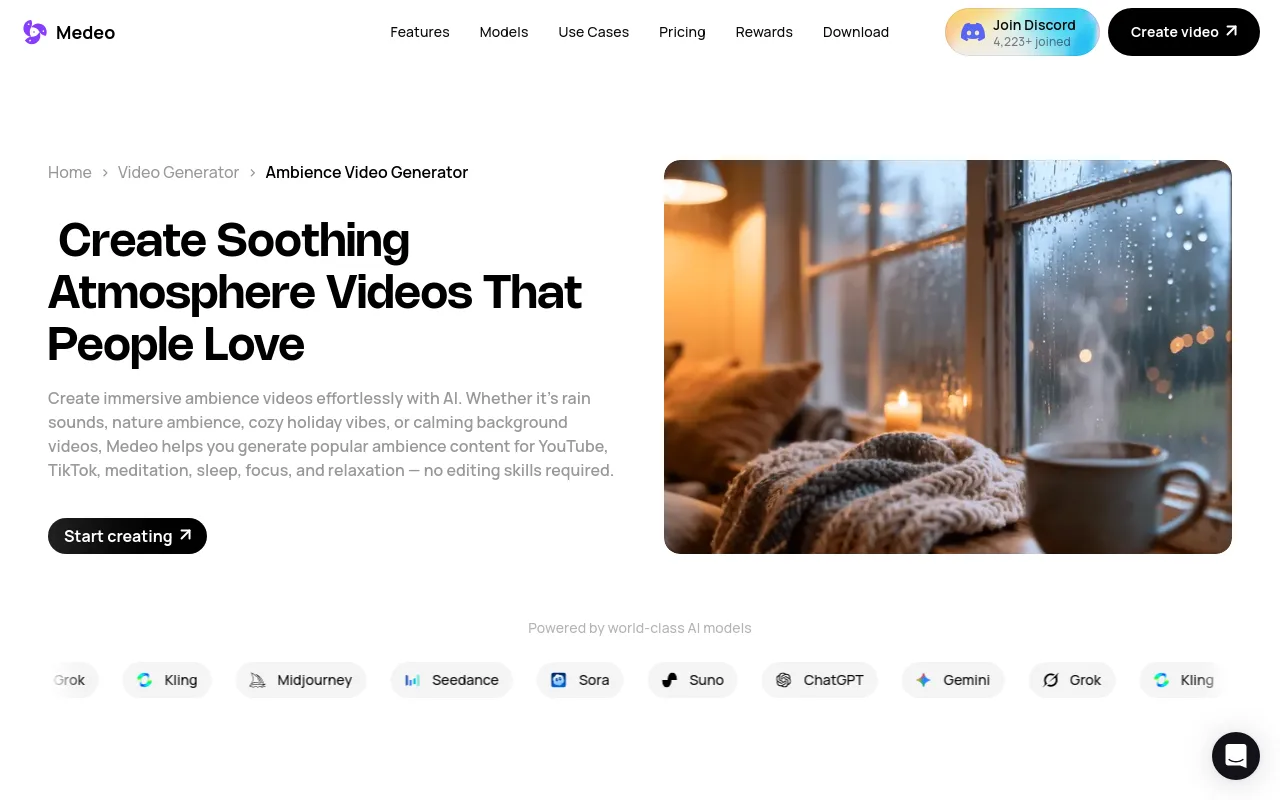
Medeo is an AI-driven ambience generator designed to create atmospheric environments. Users can combine motion graphics with ambient soundscapes to build background videos. It offers flexible formatting, allowing creators to export files in 1-hour, 3-hour, or 8-hour loops. Medeo is effective for rain, cafe, and fantasy environment channels, though creators must still download the files and upload them to YouTube manually.
3. FlexClip
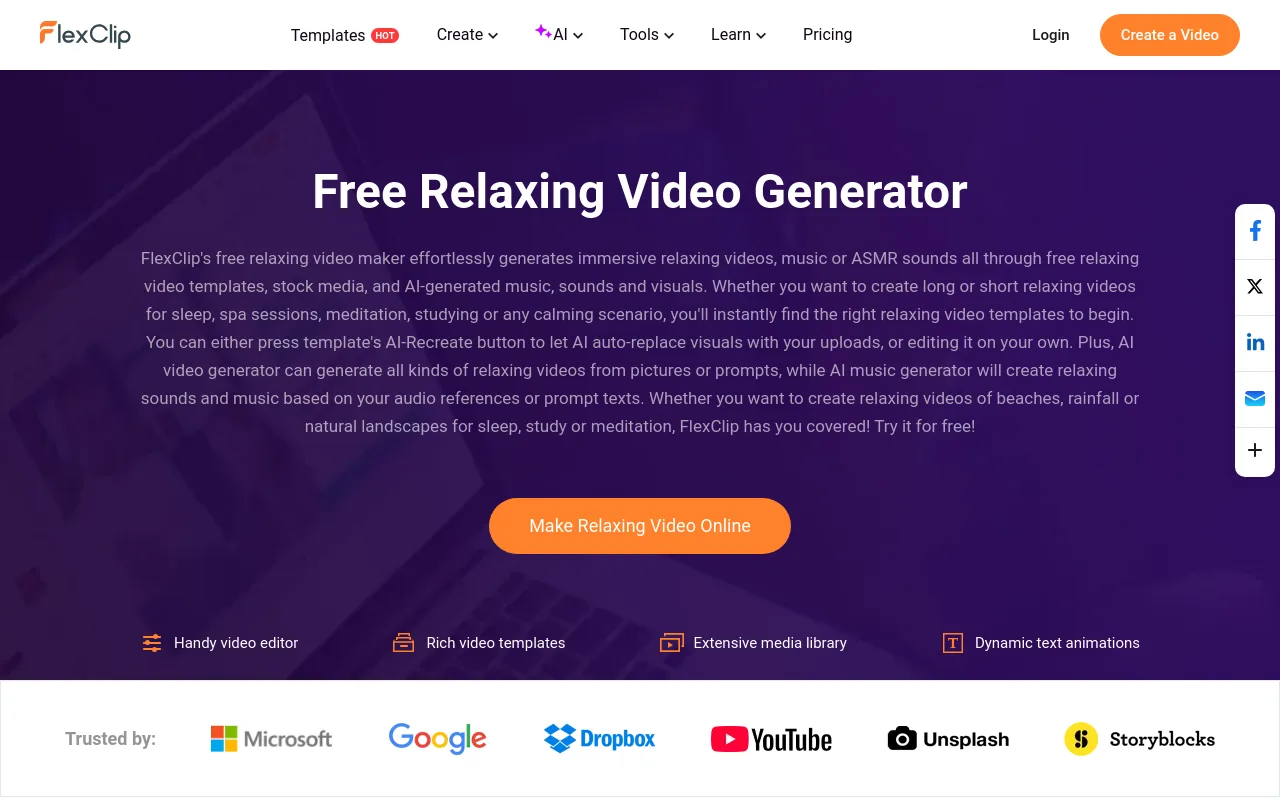
FlexClip is a web-based video editor that relies on templates and stock media libraries. It simplifies the editing process by using a three-step relaxing-video process: add media, customize, and export. Creators can use its built-in AI tools to generate basic music tracks and visual elements, making it a reliable choice for assembling classic nature montages or guided meditation backdrops.
4. Canva
Canva is a general-purpose graphic design and video editing platform. While not built specifically for long-form relaxation channels, its extensive library of stock videos, transitions, and audio tracks makes it popular for manual creators. Users can drag and drop footage onto a timeline, layer audio, and export 1080p videos. However, extending a timeline to match multi-hour formats requires significant manual duplication.
| Tool | Primary Use Case | Looping & Video Length | Publishing Automation | Source |
|---|---|---|---|---|
| Chillframe | Automated lofi and study channels | 10, 30, or 60 minute renders | Direct scheduling and auto-publishing | Chillframe |
| Medeo | AI atmosphere and environmental loops | 1-hour, 3-hour, or 8-hour export files | Manual download and upload | Medeo App |
| FlexClip | Template-driven nature and meditation videos | Manual timeline extension | Manual download and upload | FlexClip Templates |
| Canva | General graphic design and stock video montages | Manual duplication of timeline tracks | Third-party scheduling or manual upload | Canva Design |
Verdict
For creators who want full manual control over individual stock clips and custom text overlays, Canva and FlexClip are reliable, hands-on options. If your goal is to grow a passive, high-volume channel, Chillframe is the stronger fit. It removes the friction of manual video rendering, file transfers, and uploads by handling the cycle from asset generation to YouTube publishing.
The manual route: stitching stock clips into a background video
The most commonly recommended alternative is a do-it-yourself stack: download free stock footage, cut it together in an editor, and loop the result. It works, and it costs nothing but time. Here is what that stack actually looks like.
Pexels and Mixkit for free stock footage

Pexels and Mixkit are free stock libraries with large collections of nature, weather, and city-ambience clips. Both license their footage for commercial use without attribution. The catch for relaxation channels: most clips run well under a minute, so a multi-hour video means finding, downloading, and matching dozens of clips that were shot by different people in different light.
CapCut and DaVinci Resolve for assembly
CapCut is the fastest free editor for stitching clips with crossfades and captions, and DaVinci Resolve is the most capable free desktop editor if you want professional color grading to unify mismatched stock footage. Either way, you are duplicating timeline segments by hand to reach the 1-to-3-hour runtimes relaxation viewers expect, and render times grow with every added hour.
Veed and Runway for browser editing and AI clips

Veed covers quick browser-based edits with subtitles and loops, while Runway generates short original AI clips when stock libraries do not have the exact scene you want. Runway's clips run seconds, not hours, so they are raw material for an editor rather than a finished background video.
The manual stack gives you total control and a bill of zero dollars, at the cost of hours per video. The generated route inverts that trade: Chillframe produces the music and the visuals as one matched piece, assembles the video, and publishes it to your channel on schedule, so the ongoing cost of each additional video is close to zero effort.
Choose a tool by the type of channel you want to build
Different relaxation niches require specific audio-visual configurations. Selecting the right software depends on the target audience and the exact mood you want to deliver.
- Lofi and Study Channels: These channels require a close match between chill, downtempo beats and cozy, slow-motion visuals. Creators often use pixel-art bedrooms, rainy coffee shop windows, or animated study desks. Consistency is key here: the visual style must remain stable across all uploads. Picking the best lofi video generator for your setup simplifies this, keeping tracks and visuals aligned without hours of timeline editing, and the wider roundup of tools to make lofi videos covers how to match audio tempos to visual loops.
- Rain, Sleep, and Meditation Channels: Audiences for sleep and meditation videos prioritize continuous, uninterrupted soundscapes. Sudden volume spikes or visual flashes will instantly ruin the experience. The focus here is on subtle motion, such as falling rain, drifting clouds, or flickering candles. The audio must loop without audible seams, often running for 8 to 12 hours to cover a full night of rest. If this is your niche, start with the guide to sleep music on YouTube, then narrow into rain sounds on YouTube or meditation music on YouTube depending on the mood you want to own.
- Nature and White-Noise Channels: These channels rely on authentic, high-definition stock footage paired with layered environmental soundscapes. Creators combine forest drone shots, ocean waves, or campfire videos with matching audio layers. The challenge is ensuring the audio sounds organic, which requires layering wind, bird chirps, and water sounds at varying volumes.
- Static, Montage, and Reel Formats: If you are building a channel focused on short-form content, such as YouTube Shorts or Instagram Reels, your visual pacing must change. While long-form videos use static loops, short-form reels require faster clip transitions and bold on-screen text to hook viewers within the first 3 seconds.
How to make a relaxing background video in one workflow
Creating a high-performing background video involves a logical progression from concept to publication. Following a structured workflow ensures your videos meet YouTube's quality standards while saving you time.
- Define the Viewer Goal: Start by identifying the specific mood of your video. Is it designed for deep focus, sleep, meditation, or light decompression? Knowing this helps you select the correct audio style and visual tempo. For instance, a focus video needs steady, non-distracting lofi beats, while a sleep video requires soft, rhythmic rain.
- Generate or Import the Visual Scene: Select your primary visual asset. If you are using a manual editor, import a high-quality, high-definition stock clip of a forest or a crackling fire. If you want to streamline production, use an AI music video generator that produces the track and the visuals together, so the visual theme matches the audio mood. Keep transitions soft and unobtrusive: use gentle cross-dissolves rather than hard cuts.
- Add and Layer the Audio: Import your soundtrack or ambient audio. If you are creating a meditation video, layer a soft synth pad with a gentle forest soundscape. Ensure the volume levels are balanced so that the background sounds do not overpower the main music tracks.
- Check the Loop and Export: Test the loop point to confirm there are no sudden jumps in the video or pops in the audio. Once verified, export the file in 1080p or 4K resolution.
- Publish and Schedule: Upload the finished video to YouTube, write optimized metadata, and organize your upload calendar. To save time and hold a consistent posting schedule, a YouTube automation tool can take over the distribution step.
How to build a long-form loop viewers can leave on
Building a video that viewers can leave running for hours requires careful attention to length and audio transitions. If a video is too short, viewers will have to find another clip, which hurts your channel's session duration.
According to Pond5, 30 minutes seems to be the minimum duration for nature-relaxation videos, while most videos in this category run around 1-3 hours. For deep sleep channels, some relaxation videos run 12 hours or longer. Depending on your target audience, you should adjust your export settings accordingly. For example, Medeo describes exporting and looping ambience videos in 1-hour, 3-hour, or 8-hour formats to suit different user activities like studying, working, or sleeping.
Sound design is equally critical. To keep the audio pleasant over several hours, use long, gentle fades or dissolves between different music sections. Avoid sudden shifts in volume or key. If you are producing meditation tracks, pay close attention to tempo. Soundverse identifies 50-70 BPM as a parameter discussed for meditation music production, as this slower tempo matches a resting heart rate and helps induce a state of deep relaxation.
Finally, match your visual repetition to the video's duration. If you are using a 10-second visual clip for a 3-hour video, the repetition will be obvious and distracting. Use longer visual loops of 1 to 2 minutes, and ensure the motion is subtle enough that the viewer does not notice the transition back to the start.
YouTube packaging and copyright checklist
To turn your relaxing videos into a successful YouTube channel, you must optimize your packaging and protect your account from copyright strikes. Use this checklist before publishing:
- Keyword-Rich Metadata: Use descriptive, mood-focused keywords in your titles, tags, and descriptions. Terms like "lofi study beats", "deep sleep rain", "music for focus", and "1-hour relaxation loop" help YouTube's algorithm recommend your content to the right viewers.
- Copyright Clearance: Ensure every asset you use is cleared for commercial use. YouTube's Content ID system is sensitive to background music and ambient sounds. If you use stock audio or third-party loops, verify that you hold the proper licenses. A platform like Chillframe reduces that paperwork by generating the music and visuals for your video instead of pulling them from a shared stock library, so there is no third-party license to track per asset.
- Consistent Channel Branding: Add a subtle watermark or logo in the corner of your videos to build brand recognition. This prevents other channels from easily downloading and re-uploading your hard work.
- Multi-Platform Repurposing: Maximize your reach by cutting your long-form videos into 15-second or 60-second vertical clips. Publish these on YouTube Shorts, TikTok, and Instagram Reels to drive organic traffic back to your main channel.
Frequently Asked Questions
Can one tool generate both the relaxing music and the background visuals?
Yes. Chillframe is built to do exactly this: it creates original lofi music tracks and pairs them with matching visuals. This unified approach removes the need to buy stock footage from one site and license music from another. By handling both sides of the creative process in a single platform, Chillframe saves creators hours of manual editing and synchronization work, producing a finished video that is ready for YouTube.
Which workflow is best for lofi, rain, nature, meditation, or white noise?
The best workflow depends on your channel's niche. For lofi and study channels, an automated, music-first generator like Chillframe is ideal because it keeps the visual style and musical tempo aligned. For rain, nature, and white-noise channels, a workflow that combines high-quality stock footage with layered ambient audio is best. Tools like Medeo or FlexClip allow you to combine and layer environmental sounds, while general editors like Canva are useful if you want full manual control over custom stock video montages.
How long should a relaxing YouTube background video be?
The ideal length depends on your target audience's habits. According to Pond5, 30 minutes is the recommended minimum for nature-relaxation videos, while the majority of successful uploads run between 1 and 3 hours. For sleep and deep meditation channels, videos regularly run for 12 hours or longer. Shorter formats of 1 to 3 hours are perfect for study sessions and general focus, while 8-hour plus videos cater directly to overnight sleep playlists. Note the practical split when you pick a tool: generators that render up to an hour, Chillframe included, cover the study and focus end directly, and reaching the overnight lengths means either an export-focused tool like Medeo or stitching shorter renders together in an editor.
Can a creator publish consistently without assembling every video manually?
Yes. Creators can achieve consistent publishing by using automated workflows. Chillframe solves the consistency problem by automating the production cycle. It generates the music and visuals, compiles them into a complete video, and publishes the content directly to your YouTube channel on a schedule you define. This hands-off approach allows you to run an active faceless channel without spending your own time on manual video editing, rendering, or file uploading.
Building a successful YouTube channel in the relaxation and study niche requires consistency, high-quality assets, and a scalable workflow. Whether you choose to manually edit stock footage using Canva and FlexClip, or automate your production and distribution with Chillframe, selecting the right tools is the first step toward long-term growth. By focusing on smooth loops, high-quality audio, and automated publishing, you can build an audience and watch your channel's watch-time compound over time.