List
Finding the Best Lofi Video Generator for Your YouTube Channel
A complete comparison of the top AI systems for creating, scheduling, and publishing automated lofi music videos.

Chillframe is the best lofi video generator for running a YouTube channel: you type a short description or pick a look, and it makes the music, the scene and a finished video up to 1 hour long, then automatically posts it to your channel on your schedule. For a beat-synced video of one song you already have, Freebeat is the better pick.
AI tools now automate the work that used to take hours of audio editing, clip rendering and manual scheduling.
It's a great space to build in. Top channels like Lofi Girl have built huge audiences on continuous, calming loops, with over 15.8 million subscribers and roughly 2.6 billion total views. Doing it all by hand takes real technical skill, so the right tool makes a big difference.
The short answer
- A channel that runs itself: Chillframe.
- A beat-reactive video for one song: Freebeat.
- Frame-by-frame control: Neural Frames.
- Short background loops for your own editor: OpenArt or Crreo.
If you want a channel that runs itself, read our complete guide on how to start a lofi YouTube channel. To compare the leading tools side by side, read on.
What Makes a Lofi Video Generator the "Best" in 2026
To run a successful faceless YouTube channel, a complete generator takes care of four jobs:
- Ambient Music Generation: high-quality, continuous instrumental music with the right tempo and vibe.
- Matching Visuals: looping animations or still scenes that fit the music.
- Long-Form Render Length: videos that run from 30 minutes to a full hour without crashing, because lofi listeners prefer long videos.
- Hands-Off Publishing: a system that schedules and uploads videos automatically, so you build a steady audience.
Two more things matter:
- Audio-reactive sync. A basic static loop can feel flat, while a video that reacts to the music feels alive. The better systems analyze the audio so the visuals pulse or move in time with the beat.
- Monetization. YouTube renamed its Repetitious Content monetization policy to "inauthentic content" on 15 July 2025, a clarification rather than a new rule. Under it, channels using identical, reused visual loops with basic music are often turned down for the YouTube Partner Program. YouTube alone reviews and decides monetization eligibility, channel by channel.
What Makes a Lofi Video Generator an AI Lofi Video Generator?
Two very different kinds of product sit under the same "AI" label:
- A true AI lofi video generator makes new material: the music, the visual loop, or both, generated from a prompt or preset.
- A template tool drops your audio (or its own) onto ready-made stock scenes and calls the pairing AI.
That difference decides whether your channel clears YouTube's inauthentic-content bar, since identical reused loops are exactly what the policy targets.
Here are the tools on this page, sorted by that test:
- Generate both music and visuals: Chillframe (original tracks plus generated scenes, put together into a finished video) and Musicful AI (combined music and video generation).
- Generate new visuals around your existing track: Freebeat and Neural Frames analyze uploaded audio and make beat-synced frames, and OpenArt works as a lofi animation generator for short background loops from a prompt.
- Template-leaning: Creatify's lofi maker is built for ad-style clips from existing asset patterns. That's fine for its job, and it makes it the least "generative" option here.
Free options
"ai lofi video generator free" is usually the next search, so here is where each one stands:
| Tool | What you can start with |
|---|---|
| Freebeat | 500 free credits at signup, no card required |
| Crreo | A free tier for shorter renders |
| Every Mood Studio | One short free video, with a watermark |
| Chillframe | Plans from $19 a month |
Every free path caps either the length or the volume, so treat them as test drives rather than production plans.
Quick Comparison: Top Lofi Video Generators at a Glance
How the leading lofi video generators compare on maximum video length, audio-reactive sync and publishing automation:
| Tool | Max Video Length | Audio-Reactive Sync | Auto-Publish to YouTube | Starting Price | Best For |
|---|---|---|---|---|---|
| Chillframe | 1 Hour (every tier) | No (motion loops from Creator up, not beat-synced) | Yes | $19 / month | Fully Automated Channels |
| Freebeat | 6 Minutes | Yes (8-dimension analysis) | No | $6.99 / week (6-minute videos need Pro, $34.99 / month) | Music-First Reactivity |
| Every Mood Studio | 10 Hours | Not listed | No (you download and upload) | $59 / month | Very Long Videos |
| Musicful AI | Not disclosed | Yes | No | $10.99 / week | Combined Music and Video |
| Crreo AI | 15 Minutes | No | No | Free tier / Paid | Long-Form Output |
| Neural Frames | Variable | Yes | No | $19 / month | Per-Frame Control |
Every Mood Studio is the one tool here that makes longer videos than Chillframe. It turns one idea into a music video of 20 minutes to 10 hours, with a thumbnail with lettering and a title, description, chapters and tags to paste into YouTube. You download the video and upload it yourself, plans start at $59 a month, and the free start makes one short video with a watermark (Every Mood Studio, checked October 23, 2026). Chillframe tops out at 1 hour, starts at $19 a month and automatically posts each video to your channel.
1. Chillframe - Best for Fully Automated Lofi YouTube Channels

Chillframe is built for creators who want an automated channel that runs itself. It makes fresh, original music and matching visuals, puts them together into a finished long-form video, and publishes it straight to your YouTube channel on the schedule you set. You don't download, edit or upload anything by hand. With publishing fully hands-off, your watch-time compounds while you focus on channel strategy.
What you get in each video:
- Music: original, studio-quality lofi tracks that crossfade into one continuous soundtrack with no gaps.
- Visuals: matched to your theme. Lite gives you a still scene, and Plus gives you a gently moving one.
- Looks: a catalog of preset styles in 14 groups and 61 scenes, from Jazz Coffeeshop and Lofi Anime to Synthwave and Dark Academia, with scenes like Rainy Tokyo and Campfire Night. Or describe your own scene in plain words. Each preset pairs its visuals with a matching soundtrack brief.
- Ambience: choose Ambience only for rain, fire or cafe sound with no music.
- Length: up to 1 hour, the same on every plan.
- Resolution: still scenes are made in 4K. Motion clips come in Standard or Premium quality, and on Creator and up they can be upscaled to 1440p or 4K. For long 4K ambient videos, see the 4K AI video generator guide.
A Series runs the schedule for you:
- Pick a cadence of 1 to 7 videos a week, at the times and in the timezone you choose.
- Approve the first video.
- From then on it's fully hands-off. It writes a title and picks a thumbnail for each episode, then publishes it straight to your connected YouTube channel.
Creator analytics, such as watch-time and growth signals, sit right inside Chillframe.
Plans and Usage
Every plan makes videos up to 1 hour. Starter makes Lite videos: still image videos with full, original music. Creator, Pro and Max can make motion videos. What else changes as you move up is how much usage you get each month and how many Series can run at once.
| Plan | Price | Monthly usage | Active Series | Motion videos |
|---|---|---|---|---|
| Starter | $19 a month | The base amount | 1 | No |
| Creator | $49 a month | 5x Starter's | 3 | Yes |
| Pro | $99 a month | 11x | Unlimited | Yes |
| Max | $199 a month | 25x | Unlimited | Yes |
One pool of usage pays for the visuals, motion, music and finishing of every video. It resets each month with no rollover. Usage packs last 2 years and give you more if you run out.
2. Freebeat - Best for Music-First Reactivity
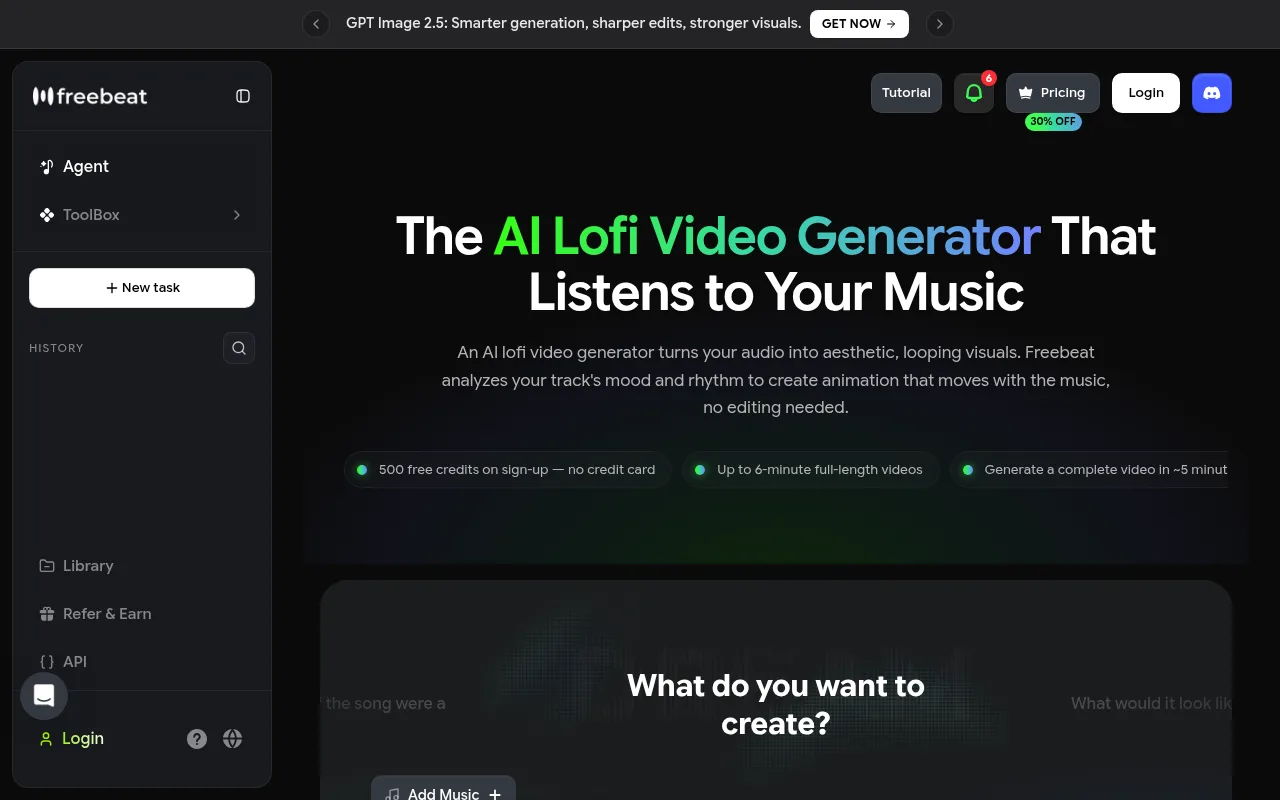
Freebeat is an AI music video generator made for musicians and creators who already have a track and want visuals that react closely to every beat of it. It specializes in audio analysis and visual sync, not channel management.
By Freebeat's own numbers:
- over 1 million creators served, across more than 150 countries
- over 1 billion seconds of AI music visuals rendered, as of May 2026
- 8 dimensions analyzed in each uploaded track, including the BPM, beat grid, energy curve and spectral content
- up to 528 beat-synced visual effects planned across a 120-shot storyboard
Where it falls short for a lofi channel: the maximum video length on the Pro plan is 6 minutes, so it can't make the 1-hour study streams lofi listeners keep on in the background. There's also no scheduling or auto-publishing, so you export and upload every video by hand.
Pricing and Plans
- Signup Bonus: 500 free credits when you sign up, with no credit card required.
- Basic Plan: $6.99 a week, billed weekly.
- Pro Plan: $34.99 a month, the plan with videos up to 6 minutes.
Those are the list prices on Freebeat's pricing page, checked October 23, 2026, when it was showing a limited 30% offer.
3. OpenArt LoFi Background Video Generator - Best for Quick Background Loops

OpenArt makes short, looping lofi background animations from text-to-video and image-to-video prompts. If you already have a finished audio file and need a good-looking loop to place under it, it does that job quickly.
It has no built-in audio analysis, so the animations don't pulse or change with the BPM or energy of your music. To turn a loop into a full YouTube video, you:
- Download the short loop.
- Import it into editing software.
- Duplicate it dozens of times to reach your length.
- Import your audio track.
- Render the file.
- Upload it by hand.
That makes it a poor fit for creators after faceless YouTube automation.
4. Creatify Lofi Video Maker - Best for Ad-Style Lofi Clips

Creatify is built for marketing. It offers a lofi aesthetic filter, but the platform makes short social media ads built to convert, using AI script writing, realistic digital avatars, custom voiceovers and a built-in A/B testing dashboard.
- Good for: quick promotional clips on TikTok or YouTube Shorts with a lofi look.
- Not for: a continuous music channel. It can't make 1-hour audio tracks, and its avatar-heavy templates are made for direct-response marketing, not relaxing background vibes.
5. Musicful AI Lofi Video Generator - Best Combined Music + Video

Musicful AI gives you one workspace where you make a lofi music track and a looping visual background at the same time. You pick a musical style, prompt the visual generator and export a combined file. That's a useful step up from making the audio and video in two separate programs.
Its limits:
- Weekly pricing, which can add up fast for long-term creators.
- No scheduling or YouTube publishing. Once your video is rendered, you download it and handle the upload, metadata and thumbnail yourself.
Pricing and Plans
- Basic Plan: $10.99 a week.
- Standard Plan: $34.99 a week (after introductory promotional rates).
6. Crreo Free Lo-fi AI Video Generator - Best for Long-Form Output

Crreo makes longer visual assets straight from text prompts, and it is trusted by over 110,000 creators. Many text-to-video tools stop at 4 or 10 seconds. Crreo makes continuous, textured lofi videos up to 15 minutes long, with no base footage needed.
What it leaves to you: there's no audio-reactive sync, so the visuals drift independently of the music. It doesn't make original music or manage YouTube uploads either, so you source your own audio and run your publishing calendar by hand.
7. AnimateAI.Pro - Best for Storyboard-Driven Lofi Shorts

AnimateAI.Pro is built around storyboards and AI characters. Its Autopilot mode turns text prompts into sequential, story-driven animated scenes, like an anime character walking through a rainy city or studying in a bedroom.
The global AI music generation market is growing fast, with Mordor Intelligence projecting it will pass $4 billion by 2030. AnimateAI.Pro sits on the story-led side of that growth.
For an hour-long ambient stream it's less suited: render times for long-form videos are very demanding, and it has no automated YouTube publishing.
8. Neural Frames - Best for Per-Frame Animation Control

Neural Frames is a professional AI animation generator for digital artists and music producers who want full control over their visuals. It offers:
- frame-by-frame animation control
- audio-reactive modulation, so you can map effects to individual frequencies and have the visuals bounce in time with your snare drums or basslines
- high-quality 4K output
It's made for single-render projects rather than running a channel week after week. The interface takes a lot of manual tuning, and there's no automated series generation, recurring scheduling or direct YouTube integration.
Pricing and Plans
- Pricing Tiers: plans run from $19/month to $99/month, based on render times and model access.
9. BeatViz - Best for Premium Cinematic Music Videos

BeatViz combines several visual AI models to make detailed, cinematic music videos from uploaded audio tracks. The results look sharp and atmospheric, which suits official music releases.
It's a high-end, single-upload tool for musicians. There's no automated scheduling, no series cadence and no direct publishing, so it doesn't fit a recurring lofi channel.
How We Picked These Tools
We judged each platform on six practical criteria:
- Audio-Reactive Sync: how well each tool syncs visual movement with the audio track.
- Maximum Render Length: each tool's published maximum, set against the 30 minutes to a full hour that study streams need.
- Output Resolution: support for 1080p and 4K, to meet modern YouTube quality standards.
- Music Originality: original music, or existing loops that can trigger YouTube's inauthentic content filters.
- Automation and Publishing: a direct YouTube connection, scheduled series and automated uploading.
- Pricing Transparency: how each one charges, and whether that gives lasting value to a growing channel.
All pricing, feature and performance claims come straight from each company's official documentation, product interfaces and pricing pages.
Tools to Make Lofi Videos: Which Should You Choose?
Whether you searched for a generator, software or tools to make lofi videos, it comes down to your goals and how much manual work you want to do. Here's how I'd choose:
| If you want | Choose |
|---|---|
| An automated, consistent lofi YouTube channel. It's the one option here that makes original music and matching visuals and publishes them on a recurring schedule | Chillframe |
| A highly reactive, short music video (under 6 minutes) for a single release of a song you've finished | Freebeat |
| Precise, frame-by-frame control over your animations and frequency-based audio modulation | Neural Frames |
| Short, atmospheric looping backgrounds to bring into your own video editing software | OpenArt or Crreo |
If you're still deciding on your channel's direction, our guide on how to make lofi music covers more of how the genre is built.
Frequently Asked Questions
What is the best AI tool to make lofi videos for YouTube? For a lofi YouTube channel, Chillframe is the top choice because it handles original music generation, visual loops, long-form rendering, and direct YouTube publishing. For short, highly detailed, audio-reactive music videos of one song, Freebeat is the leading option.
Can I generate a full 1-hour lofi video with AI? Yes. Chillframe generates videos up to 1 hour, and that runtime is the same on every plan, though Plus motion starts on the Creator plan. Many other generators, such as Freebeat or Crreo, limit video renders to between 6 and 15 minutes, which requires you to loop them manually in external editing software. Every Mood Studio goes further, up to 10 hours, and you upload its videos yourself.
Do these tools include the music, or do I supply it? Some tools, like Chillframe and Musicful AI, generate original lofi music for you. Other tools, such as Freebeat, Neural Frames, and BeatViz, require you to upload your own audio file first, then generate visuals to match your track.
Will YouTube still monetize AI-generated lofi videos after the July 15, 2025 inauthentic content policy update? It depends on how unique your content is. Under the renamed policy, channels that upload identical visual loops with minor audio variations are often demonetized. YouTube alone reviews and determines monetization eligibility on a channel-by-channel basis. Separately, Chillframe generates a fresh, original soundtrack and a distinct set of visuals for every video, rather than reusing the same files.
Is there an app that makes a whole lofi video for YouTube from a text prompt? Yes. Chillframe makes a whole lofi video from a text prompt: original music, a matching scene and a finished video up to 1 hour long. It writes the title, description, tags and chapters, creates the thumbnail, and automatically posts it to your channel on a schedule. Every Mood Studio also works from one idea and goes up to 10 hours, but you download the video and upload it yourself.
A successful lofi channel comes down to consistency and good assets. Pick the tool that fits your skills and publishing goals, and you can build an aesthetic catalog that draws loyal listeners and earns watch-time around the clock.