Guides
How to Choose the Best YouTube Automation Tool for Your Faceless Channel
Match your channel to the right software, from single-stage clippers to a set-and-forget tool that generates the music, loops the visuals, and publishes for you.

Starting a faceless channel sounds simple until you count the moving parts. A youtube automation tool is software that takes over one or more stages of the video workflow, and that workflow runs long: niche ideation, script writing, voiceover, visual creation, editing, thumbnail design, and publishing. Pick the wrong tool and you end up doing the other six stages by hand.
Most creators search for a single youtube automation tool hoping to find one system that does all of it. The results are crowded with point-solution apps that each own a single stage, which forces you to chain four to six services together and pay for all of them every month. This guide sorts those tools by what they actually automate, shows the real cost of building a channel this way, and helps you match the software to your niche. For the wider strategy behind running a hands-off channel, the faceless YouTube automation playbook covers niche economics and monetization in depth, so this piece stays focused on choosing the software.
What Is a YouTube Automation Tool (and What It Should Actually Do)
A complete automation tool should shrink your workflow, not add steps to it. In the ideal setup you hand the software a theme or a keyword and it does the heavy lifting: generating the assets, compiling them into a finished video, and placing that video on your channel schedule.
In practice the market splits into two categories:
- Point-solutions. These automate a single, isolated task. Keyword research apps, AI script writers, voice generators, and short-form clippers all live here.
- End-to-end solutions. These own the whole creation and publishing flow in one product. They generate the audio, build the matching visuals, compile the finished video, and publish it to your channel.
Because most tools cover only one stage, creators end up acting as project managers, moving files from one app to the next. Knowing exactly which stage each tool owns is how you build a stack that saves time instead of creating more of it.
The 2026 YouTube Automation Stack Most Creators Chain Together
To keep a faceless channel fed, creators usually assemble a custom stack of specialized tools, one per stage.
Scripting and voiceovers are commonly handed to tools like ChatGPT and ElevenLabs. That covers narration but leaves the visual timeline blank. Video assembly tools then splice together stock footage or basic graphics into long-form. Short-form clippers like OpusClip chop those long videos into vertical clips for Shorts, Reels, and TikTok. OpusClip has grown to 1.5 million users by owning that one clipping step and nothing else.
For topic selection and metadata, creators lean on SEO platforms like vidIQ or TubeBuddy for keyword research. Thumbnails and scheduling take yet another combination, usually a design app like Canva plus a separate scheduler. Stitched together, that is four to six subscriptions and a lot of manual handoffs for one upload. If you are still weighing the broader category, our comparison of AI video creation tools breaks down where each type fits.
The Real Cost of YouTube Automation in 2026
Building a channel by chaining individual tools or hiring freelancers carries a real financial burden, and most creators underestimate the capital they need before YouTube ever serves an ad on their videos.
A low-cost AI stack breakdown on Reddit prices a single video at roughly $55 to $105: about $15 for the script, $15 for the voiceover, $20 to $40 for the video, and $5 to $10 for the thumbnail. Scale that across a starting catalog and the upfront risk is stark. Producing 50 videos at $100 each costs $5,000 before the channel earns a single dollar.
That risk is compounded by how long returns take. On average, channels need 6 to 24 months to reach the YouTube Partner Program threshold of 1,000 subscribers and 4,000 watch hours in the prior 12 months. On top of the software and freelance fees, there is the quieter cost of managing revisions, tracking deadlines, and paying for a shelf of subscriptions month after month.
Tool-by-Tool Comparison: How the Top YouTube Automation Tools Stack Up
When you evaluate any youtube automation tool, look past the marketing and focus on what it covers. A useful lens comes from Shotstack, whose ranking framework scores tools on three criteria: API integration, scalability at 100 or more videos, and clear commercial rights.
The table below compares the leading options by the workflow stage they own, their target use case, and a sourced reference. Most cover a single stage; Chillframe is the one built to cover music, visuals, scheduling, and publishing in a single pass.
| Tool | Workflow Stage Covered | Primary Use Case | Sourced Reference |
|---|---|---|---|
| OpusClip | Short-form clipping and repurposing | Turning long videos into Shorts | 1.5M users |
| vidIQ | SEO and keyword research | Metadata and topic selection | SEO focus |
| Shotstack | Programmatic video via API | Scalable rendering for developers | Three-criteria ranking |
| Chillframe | Music, visuals, scheduling, publishing | Set-and-forget lofi channels | 1-hour runtimes on every tier |
Quick-Scan Verdict
- Best for clipping: OpusClip, for turning long podcasts or streams into short vertical clips.
- Best for SEO: vidIQ, for keyword metrics and topic research before you publish.
- Best for programmatic scale: Shotstack, for developers who render video at high volume through an API.
- Best for end-to-end music channels: Chillframe, the one tool built to run a lofi channel that publishes itself.
Best YouTube Automation Tools for Specific Use Cases
Different channels need different tools. Here is how the leading options map to specific goals.
Faceless Lofi and Ambient Music Channels: Chillframe
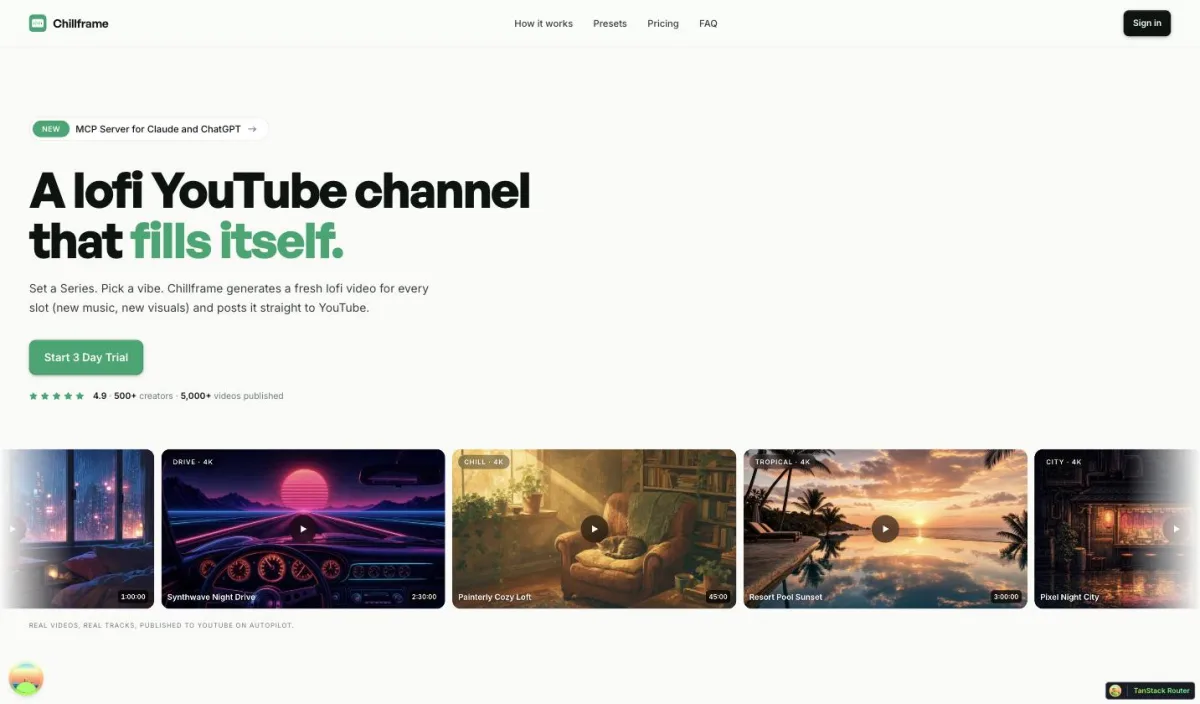
If your goal is a faceless channel that runs itself, Chillframe is the end-to-end tool for the lofi and ambient niche. Instead of editing audio and video by hand, you get a finished, ready-to-publish video that loops cleanly to your chosen runtime, with no rendering or timeline editing. Chillframe writes original, studio-quality lofi tracks made for your channel, and when a video has multiple tracks they blend into one gapless, continuous soundtrack. General AI music generators hand you raw audio files; Chillframe delivers the whole video.
The audio is paired with original looping visuals tuned to your chosen theme. Lite gives you a static image loop, while Plus and Ultra add motion. You choose from seven themes: study-boombap, rainy-tokyo, jazzhop, ambient-sleep, synthwave, future-garage, and citypop. Some themes carry a fixed, matched ambient texture woven into the sound, rain in rainy-tokyo and future-garage, a warm cafe hum in jazzhop, and a soft crackling fire in ambient-sleep, while study-boombap, synthwave, and citypop play clean with no ambient layer. Every tier renders at 1080p, and the Ultra visual tier delivers 4K.
To keep the channel building watch-time that compounds, you set up a Series. A Series feeds the channel by generating fresh videos on a cadence of 1 to 7 per week, on the days and times you pick. Starter includes 1 active Series, Creator includes 3, and Pro and Max include unlimited. You connect your YouTube channel in a single click and line up each episode's title, description, visibility, and release date, then finished episodes publish straight to your channel on schedule, fully hands-off. Chillframe also generates an optimized thumbnail and title for every episode and shows watch-time and growth signals in the creator analytics dashboard.
Runtime is the same on every plan, up to 1 hour, so length is never the reason to upgrade. What scales is how much you can publish: Starter comes with 76 monthly credits, Creator 196, Pro 396, and Max 796, spent per video by duration, track count, and visual tier. To test the workflow, a card-required-upfront 3-day trial with $0 due today gives you 45 credits for one Lite-only video with a 30-minute maximum, plus 2 track re-rolls.
Repurposing Long Videos into Shorts: OpusClip
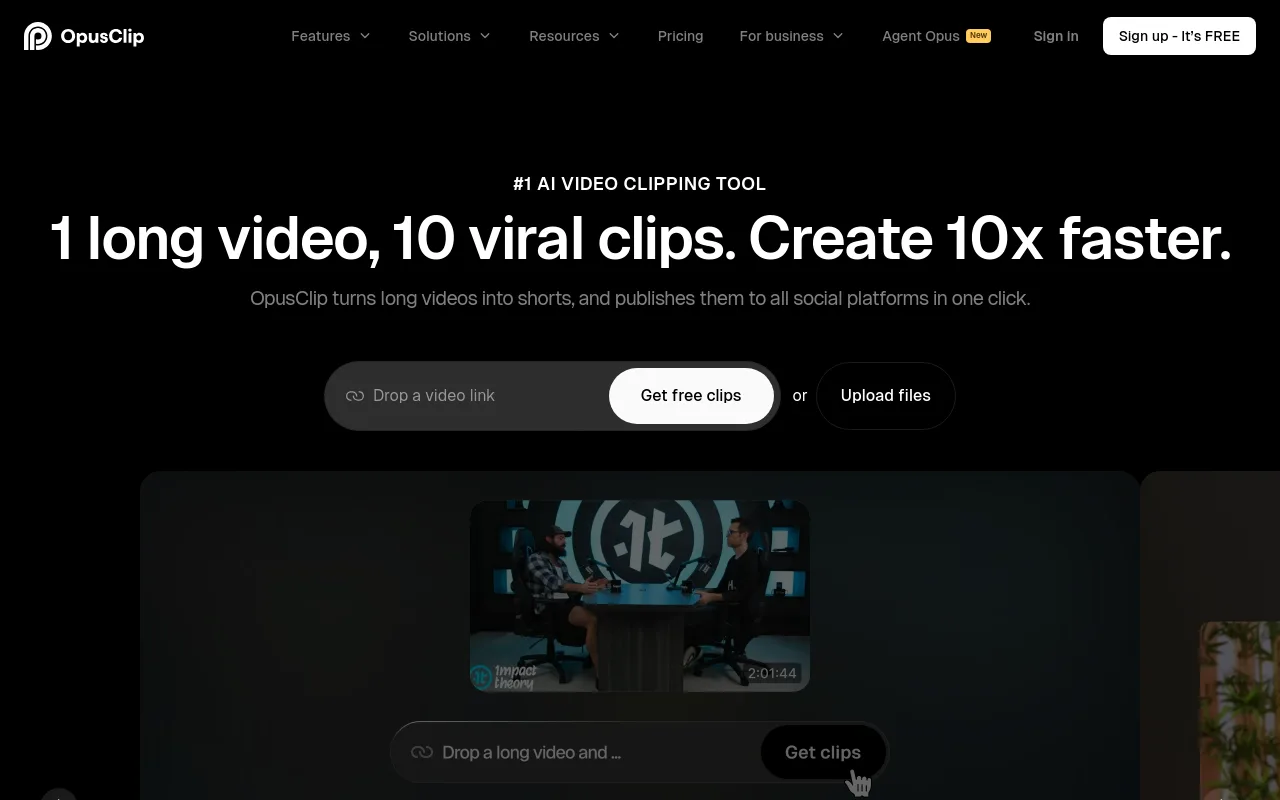
If you already have a catalog of long-form videos or podcasts, OpusClip is the right fit. It is a free AI clipper that turns long videos into short vertical clips for Shorts, TikTok, and Reels, so you can spin one upload into many and funnel viewers back to the main channel.
SEO and Topic Research: vidIQ
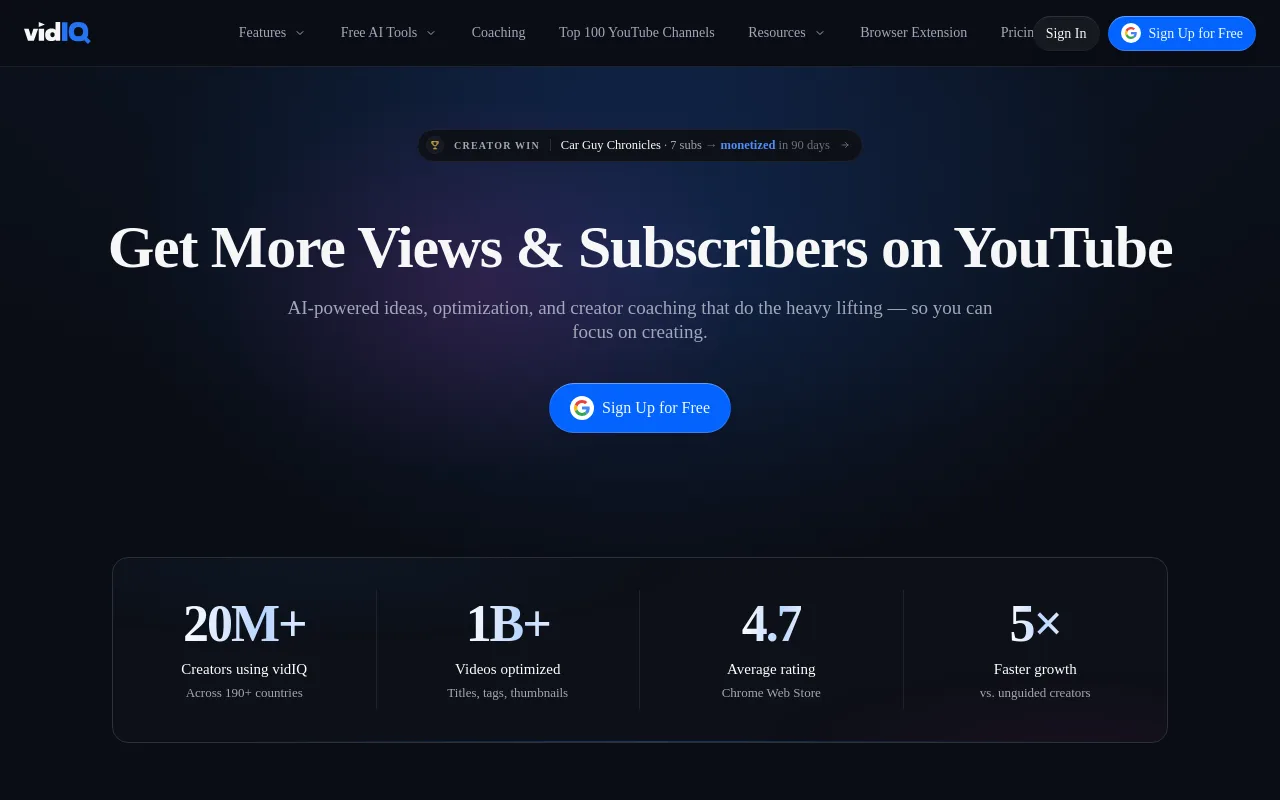
When you need to decide what to make, vidIQ handles the keyword research and metadata side. It surfaces search and competition data so you can shape titles, tags, and descriptions before you publish rather than guessing after.
Programmatic Video at Scale via API: Shotstack
For teams that want to build their own generation workflow, Shotstack is aimed at programmatic video at scale through an API. Its own ranking framework, scoring tools on API integration, scale at 100 or more videos, and commercial rights, tells you exactly who it is for: developers rendering high volumes of video from data.
DIY Lowest-Cost Manual Stack: ChatGPT + ElevenLabs + InVideo + Canva
If you have more time than budget, you can assemble a manual stack: ChatGPT for scripts, ElevenLabs for voiceovers, InVideo for footage, and Canva for thumbnails. It demands manual file transfers and hands-on editing, but it gives you full creative control, which suits commentary-style or documentary faceless channels. New to the format? The guide to starting a faceless YouTube channel walks through the fundamentals first.
Risks and Reality Check: What YouTube Automation Cannot Fix
Automation streamlines production, but it is not a shortcut to instant income. You still have to work with the platform's policies and its algorithm.
Search ranking rewards original, watchable content. After a March 2024 update that favored human-crafted work, channels leaning entirely on low-effort AI scripts saw a 37% engagement drop. Generic, unedited output is a liability, not a strategy.
Packaging still needs a human eye. Handing thumbnail design to unvetted, low-cost freelancers has caused a 50% CTR decrease on affected channels. A great video with a weak thumbnail never gets the click.
And the platform actively prunes low-effort spam. YouTube removed 5.09 million videos with zero views in Q2 2024, a clear signal that mass-produced filler gets cleared out. The takeaway is to use automation for the logistics and keep creative judgment human. That is exactly why a tool that generates original music and visuals, rather than recycling clips, sits on the right side of the line.
How to Choose the Right YouTube Automation Tool for Your Channel
The right software depends on your niche and where you actually lose time. Work through four steps.
- Step 1: Find your bottleneck stage. Notice where the hours go. Scripting? Editing audio? Building visual loops?
- Step 2: Pick the tool that owns that stage. Skip the bloated all-in-one that does everything poorly. Need clips? Get a dedicated clipper. Need search data? Get an SEO tool.
- Step 3: For a music channel, prioritize a complete workflow. If you are publishing lofi, study, or sleep music, choose a tool like Chillframe that combines music generation, visual looping, scheduling, and publishing in one product, so the channel grows without manual uploads.
- Step 4: Check ownership and integration. Understand the usage terms for any generated audio or visuals, and confirm the tool fits how you plan to publish, before you build a monetized channel on top of it.
Frequently Asked Questions
Is YouTube automation legit?
Yes. YouTube automation is a legitimate way to streamline production logistics, but monetization is never automatic. You still have to reach the YouTube Partner Program bar of 1,000 subscribers and 4,000 watch hours in the prior 12 months and follow the platform's content policies. The tools handle the busywork; the growth still comes from content people actually want to watch.
What is the cheapest way to automate YouTube?
For a hands-off channel, a single end-to-end tool is usually cheaper than chaining four to six single-purpose subscriptions. On the manual side, a low-cost stack runs about $55 to $105 per video once you add up the script, voiceover, footage, and thumbnail, so the per-video math adds up fast when you scale.
Can I fully automate a faceless channel?
For lofi, study, and ambient music niches, yes. A tool like Chillframe generates the original track, loops the matching visuals, and publishes each episode on the schedule you set, so the channel keeps building a library hands-off. Talk-heavy or commentary niches still need a human in the loop for scripting and judgment.
Do automation tools violate YouTube policy?
No. Using automation software does not break YouTube's terms. What gets flagged is the output: mass-produced, repetitive, or recycled uploads can be treated as spam or rejected for monetization. Keep your music and visuals original and your publishing cadence sensible and automation stays firmly inside the rules.
Choosing the right youtube automation tool comes down to matching your goal to the software that owns the stage you struggle with. Automate the logistics, keep your judgment on the creative, and let the channel compound its watch-time while you build the next thing.