Guides
The Best AI Animation Video Generator Tools for YouTube Creators
Compare the top AI animation video generator tools for creating animated scenes, looping visuals, and automated YouTube channels.

Building a visual YouTube channel no longer requires months of manual frame-by-frame illustration or complex 3D rigging. Using an ai animation video generator, creators can turn simple text prompts, concept artwork, and audio files into dynamic motion sequences. Whether you want to produce short social media clips, narrative explainers, or long-form ambient study streams, modern AI software can create visual movement in minutes.
The rapid rise of these platforms reflects a broader shift across online media. Per Morphed, the AI video generator market reaches $847M-$946M in 2026, supported by over 124M+ monthly users worldwide. However, picking the right platform depends heavily on your production workflow. Some tools excel at cinematic visual effects, while others focus on corporate avatars or end-to-end channel automation.
What is an AI animation video generator?
An AI animation video generator is a software platform that uses machine learning models to synthesize visual motion from digital inputs. Instead of hand-drawing keyframes or manipulating 3D models in traditional animation suites, you provide instructions through text prompts, source images, or audio tracks.
These generators generally fall into five distinct categories:
- Text-to-animation: Generative diffusion models that produce animated scenes directly from descriptive text prompts.
- Image-to-video: Engines that apply motion vectors, camera pans, and physics simulations to a static 2D illustration or concept render.
- Avatar animation: Platforms that generate talking head presenters with lip-sync capabilities based on written scripts.
- Template-to-video: Cloud editors that convert blog posts, articles, and bullet points into animated slide decks with stock b-roll and animated typography.
- Music-first video engines: Specialized systems that create matching animated visual loops paired with generated music tracks for long-form ambient content.
There is a critical operational difference between generating a single four-second animated clip and producing a full, publish-ready YouTube video. Raw visual generators leave you with short video snippets that still require video editing software, color grading, soundtrack sourcing, looping adjustments, and manual upload steps. Complete video creation platforms combine visual synthesis with audio generation, timeline assembly, and direct platform publishing.
Best AI animation video generators by use case
Different animation tools serve distinct production goals. A creator building a corporate onboarding series needs reliable lip sync, while an ambient music creator requires endless visual loops and matching beats. Here is how the top AI animation platforms compare across primary use cases.
1. Runway: Best for cinematic image-to-video generation
Runway provides creative video controls for artists, filmmakers, and digital creators. Its video generation models allow users to transform static illustrations into fluid video sequences using camera motion controls, brush-based area motion, and text direction.
Runway is ideal if you want to experiment with visual styles, such as turning Midjourney concept art into stylized anime cutscenes or surreal motion graphics. However, it functions primarily as a visual production suite. You must export your rendered clips to third-party editing software to add music, assemble multi-clip timelines, and build full-length videos.
2. Synthesia: Best for avatar-based training and explainer videos
Synthesia specializes in AI avatar generation for corporate communications, tutorials, and educational channels. Per Synthesia, the platform serves over 1M+ users with 240+ avatars across 160+ languages.
Users type a script, choose an avatar, and generate a presenter video with synthetic speech. While Synthesia excels at talking-head presentations, it is not designed for stylized 2D/3D cartoon animation, ambient visual loops, or music-driven YouTube channels.
3. Pictory: Best for script-to-video summaries and social repurposing
Pictory focuses on turning written articles, scripts, and long-form recordings into captioned video clips. It parses your text, matches sentences with relevant stock video clips and animated text overlays, and syncs AI voiceovers.
Pictory works well for content marketers repurposing blog posts into quick educational YouTube videos or Shorts. It relies primarily on stock footage libraries rather than generative visual animation, making it less suitable for niche aesthetic channels like lofi anime or fantasy art streams.
4. Chillframe: Best for music-first animated lofi channels
Chillframe is built specifically for creators running ambient, study, and lofi YouTube channels. Instead of requiring separate subscriptions for music generators, image animators, video editors, and social media schedulers, Chillframe unites the entire pipeline.
The platform generates custom lofi music tracks, pairs them with aesthetic animated visuals, compiles long-form looping videos, and publishes them directly to your YouTube channel on a schedule you establish.
| Platform | Best For | Core Input Types | Audio & Music Support | Direct YouTube Publishing | Source |
|---|---|---|---|---|---|
| Runway | Cinematic visual clips | Text, Images, Video | Background audio upload | No (manual export) | Runway |
| Synthesia | Avatar presentations | Text scripts | Synthetic voiceovers (160+ languages) | No (manual export / API) | Synthesia |
| Pictory | Script summaries | Text, URLs, Video files | Stock music, AI voiceovers | Limited social integrations | Pictory |
| Chillframe | Hands-off lofi channels | Visual themes, Style presets | Integrated AI lofi soundtrack generation | Yes (automated scheduling) | Chillframe |
Verdict: If your goal is experimental film clips, choose Runway. If you need corporate training presenters, choose Synthesia. For creators who want a self-sustaining ambient channel that produces watch-time without manual timeline assembly, Chillframe offers the most complete solution.
How to choose an AI animation video generator
Selecting the right software requires balancing visual control against production speed. When evaluating an animation platform, review these core factors:
1. Visual consistency and animation control
Look for platforms that maintain character details and lighting across multiple frames. If you create lofi study videos, the tool must create clean looping motion without jarring visual artifacts, morphing textures, or sudden frame jumps.
2. Audio integration and music handling
Video is only half the equation. Consider whether the tool supplies its own original audio or requires you to source tracks elsewhere. If you want to expand your audio workflow, explore dedicated AI music generator solutions or pairing tools covered in our AI music video generator comparison.
3. Workflow automation vs. manual handoffs
Every external tool you add to your stack slows down production. If you must generate an image in one tool, animate it in another, produce a beat in a third app, splice them inside a desktop editor, and upload manually to YouTube, producing daily content becomes unsustainable. Prioritize platforms that minimize software switching.
4. Commercial licensing terms
Verify that the platform grants full commercial rights for generated images, video frames, and audio tracks. Platforms intended for social video monetization should state clear commercial permissions for content uploaded to YouTube partner channels.
How to make an animated lofi YouTube video with AI
Producing an animated lofi video involves establishing an aesthetic theme, generating matching audio, and creating a visually cohesive loop. Here is how the end-to-end production process works:
The pipeline runs: define the mood and theme, generate the visual loop, generate the lofi audio, then assemble and schedule.
Step 1: Define the scene concept and mood
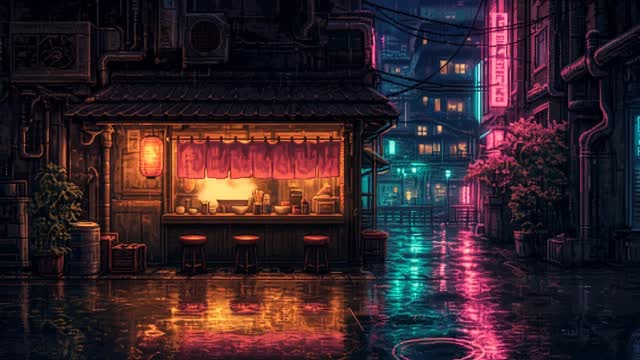
Decide on the listening context for your audience. Popular themes include rainy city apartments, retro pixel-art coffee shops, quiet bedroom study desks, and fantasy libraries. Define the mood, pacing, and color palette (such as warm neon, pastel twilight, or monochrome noir).
Step 2: Create the animated visual loop
Generate an aesthetic visual using an image model, then apply subtle motion effects. For lofi streams, subtle movements work best: falling rain outside a window, steam rising from a coffee mug, flickering neon signs, or a cat sleeping on a windowsill. Fast, chaotic motion distracts viewers who use ambient videos for concentration.
Step 3: Pair with original lofi music
Generate downtempo beats with soft piano chords, vinyl crackle, mellow basslines, and gentle percussion. The track length should fit your video format, whether you are creating a three-minute track or a multi-hour study session. For deeper channel strategies, read our guide on how to start a lofi YouTube channel.
Step 4: Assemble, render, and publish
Combine your audio track with the looping visual in a 16:9 aspect ratio at 1080p resolution. Generate a complementary title, description, and thumbnail asset before uploading to YouTube. Setting up a consistent publishing schedule helps YouTube index your content and deliver regular impressions to your audience.
Chillframe vs. general AI animation tools
General AI animation platforms are built to create standalone clips for broad creative projects. When you use general tools to run an ambient YouTube channel, you take on significant manual labor:
- Prompting image generators for background art.
- Importing images into an animation generator to add motion.
- Exporting video clips and importing them into a separate audio tool.
- Generating beats, editing loops, and matching audio timestamps.
- Exporting multi-gigabyte video files from your desktop editor.
- Manually uploading the file, typing metadata, and scheduling releases on YouTube.
Chillframe consolidates this multi-step pipeline into a single continuous process. It is designed around the specific outcome of running a growing ambient channel.
The Chillframe workflow collapses to three moves: pick the scene and audio style, let the platform generate the music and cohesive animated visuals, and let it publish the finished video to your YouTube channel on schedule.
Instead of managing four different software subscriptions, you select your visual themes and music styles. Chillframe generates the soundtrack, animates the visual environment, renders the final video, and publishes it directly to your connected YouTube channel on your chosen schedule. For creators who want a dedicated lofi video generator, this unified workflow removes technical bottlenecks so you can focus on channel growth and brand direction.
Free vs. paid AI animation generators
Most AI animation platforms provide free trial tiers or starter credits, but there are distinct differences between testing software and running a monetized channel:
- Free tiers: Typically include visible platform watermarks, limit video resolutions to 720p, restrict video lengths to under 10 seconds, and place renders in slow shared processing queues. Free tiers often restrict commercial monetization rights.
- Paid plans: Remove watermarks, export at 1080p and 4K, allow longer generations, provide commercial usage licenses, and offer priority GPU rendering.
If you are evaluating software for channel production, a free tier lets you test prompt adherence and visual quality. However, building a scalable YouTube presence requires paid commercial licensing and higher export capabilities to meet platform standards. For creators comparing full production suites, review our guide to AI video generator for YouTube options.
Frequently Asked Questions
Can an AI animation video generator create videos from text or images? Yes. Most modern animation generators support both text-to-video and image-to-video workflows. Text-to-video creates movement directly from descriptive prompts, while image-to-video uses an uploaded still image as the foundational frame and applies motion vectors, lighting changes, and camera movement.
Can AI tools generate looping visuals and music for lofi videos? Yes. General tools require you to manually craft clean-looping video segments and sync external audio in an editor. Specialized platforms like Chillframe automatically generate both the music track and the matching visual loop, combining them into complete long-form videos ready for distribution.
Which tools support commercial use and YouTube auto-publishing? Commercial terms vary by platform. Most paid plans on tools like Runway, Synthesia, and Pictory grant commercial rights for exports, but they require manual downloading and uploading to YouTube. Chillframe provides direct YouTube integration, allowing creators to schedule and auto-publish rendered videos directly to their channels.
How should creators handle quality checks and YouTube AI disclosures? YouTube requires creators to disclose realistic synthetic or altered media during upload. When publishing AI-generated animations, review the final render for visual glitches, warping hands, or audio clipping. Ensure your channel metadata, descriptions, and disclosure checkboxes accurately reflect the tools used during production.
Choosing the right animation platform comes down to your production goals. If you need isolated visual clips for video editing projects, standalone generative engines provide deep creative control. If your goal is to build an automated, music-driven YouTube channel with aesthetic looping visuals, choosing an integrated platform like Chillframe lets you publish consistent, high-quality content on autopilot.