List
Text to Video AI Tools: 6 Prompt-to-Clip Generators Compared
Type a sentence, get a few seconds of footage. Here's what Veo, Kling, Runway, Hailuo, Luma and Pika charge per second, how long their clips run, and how to build a long video from them.
The text to video AI tools worth your time are Google's Veo (inside Flow), Kling, Runway, Hailuo, Luma Dream Machine and Pika. Each one turns a typed sentence into a short clip of new footage, usually 4 to 15 seconds long, and you pay for the footage by its length. I've compared them on what matters to a creator: how long a clip runs, what a second of footage costs, and whether you can use it on a monetised channel.
What text to video AI tools actually give you
You type "slow push in on a rainy Tokyo street at night, neon reflections, light fog" and you get back a few seconds of video that never existed before. The quality has come a long way, and that's good news for anyone who needs visuals for a channel without picking up a camera.
Two things are true of every tool here:
- You get clips, not finished videos. A single clip runs seconds, not minutes. Kling 3.0 tops out at 15 seconds, and a single Veo 3.1 clip at 8.
- You pay per second of footage. Runway's $15 plan covers less than a minute of its Gen-4.5 model. Long videos need a different approach, which I cover further down.
This post sticks to prompt-to-clip models. If you want a narrated video from a script, my guide to script to video AI covers those tools. For every category side by side, see the AI video generator tools roundup, and for models you run on your own machine, the open source AI video generator guide.
The six tools compared at a glance
Costs assume monthly billing on the cheapest paid plan, worked out from each tool's own pricing page. Veo is the exception: its figure is Google's per-second price for developers. Where a vendor doesn't publish a figure, the table says so rather than guess.
| Tool | Best for | Clip length | Cost per second | Commercial use |
|---|---|---|---|---|
| Google Veo 3.1 | Cinematic shots with sound | 4, 6 or 8 seconds | $0.05 to $0.40 (developer API) | Check Google's terms |
| Kling 3.0 | Long single clips, fluid motion | 3 to 15 seconds | About $0.45 at 4K on Standard | Standard plan and up |
| Runway Gen-4.5 | Control over each shot | Not stated | About $0.29 on Standard | Check Runway's terms |
| Hailuo H3 | Expressive characters | 5 to 15 seconds | Not shown on its site | Check Hailuo's terms |
| Luma Ray3.14 | Cheap test versions, smooth camera moves | 5 or 10 seconds (Ray3.2) | About $0.012 to $0.24 on Plus | Plus plan and up |
| Pika | Playful effects for social posts | 5 seconds in its pricing example | About $0.27 on Starter | Creator plan and up |
The tools, one by one
Google Veo 3.1 in Flow
Flow is Google's studio for making video with its Veo model. Veo's big draw is sound: it makes the audio along with the picture, so a clip of a beach comes with the sound of the waves.
Google's Veo developer docs say Veo 3.1 makes 8-second videos at 720p, 1080p or 4K, with 4 and 6 second options at 720p. You can extend a clip by 7 seconds at a time, up to 20 times, for up to 148 seconds in total, though extensions run at 720p.
Through Google's developer API, Veo 3.1 costs $0.40 a second at 720p or 1080p, Fast costs $0.10 to $0.12 and Lite $0.05 to $0.08, all with audio. There's no free tier for Veo there, and you're only charged when a video comes out. In Flow itself, video comes out of a Google AI subscription, and Google says features vary by subscription tier, so check Flow before you count on a number.
Kling
Kling is known for motion. Morphic's roundup calls it "among the best at fluid, believable motion", and it makes some of the longest single clips here.
Kling's own pricing guide says Kling 3.0 makes clips of 3 to 15 seconds in one go. The free Basic plan is marked "not for commercial use", and that changes on Standard, at $10 a month ($6.99 on a first subscription), which is licensed for commercial use and removes Kling's watermark. Kling's guide puts Standard at about 33 videos a month at 720p. At 4K, by my arithmetic, it covers about 22 seconds, or roughly $0.45 a second at the full price.
Kling's homepage is now promoting a newer Kling 4.0 model, so check its site for that model's limits. Kling 3.0 is also available inside Runway and Luma if you'd rather keep one subscription.
Runway
Runway is the most complete studio here. Morphic singles out its motion brush, camera controls and editing tools, which make it the pick when you want to direct a shot rather than take what the prompt gives you.
Runway's pricing page gives Gen-4.5 at a fixed cost per second of video. Standard is $15 a month and covers about 52 seconds of Gen-4.5, Pro is $35 for about 187 seconds and Max is $95 for about 13 minutes. A new account gets a one-off free allowance worth about 10 seconds, and the Standard plan removes the watermark.
It also hosts other models, including Seedance 2.0 and Kling 3.0, so one plan gets you several looks. The pricing page doesn't say how long a Gen-4.5 clip can run or spell out commercial terms, so read Runway's terms before you build a channel on it.
Hailuo
Hailuo is MiniMax's video app, and its newest model is H3. Morphic praises Hailuo for "expressive character movement and subtle facial motion", which makes it a good choice when a character's face has to carry the shot.
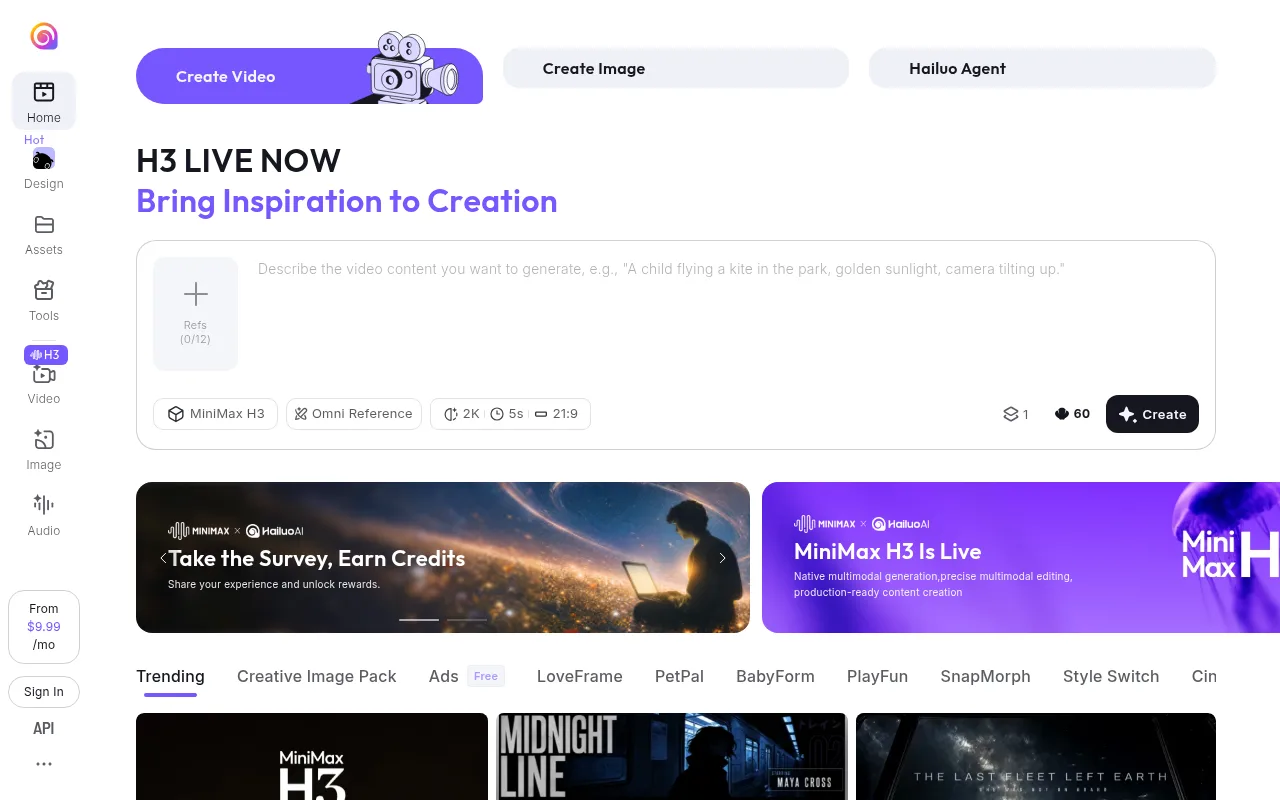
According to Morphic's H3 page, the model makes clips of 5 to 15 seconds at up to 2K and 24 frames a second, with stereo sound made alongside the picture. It can take up to 12 reference files in one go, mixing images, video clips and audio.
Hailuo's homepage shows plans from $9.99 a month, but I couldn't find what each plan includes or its commercial terms, and third-party figures disagree with each other, so look at the plans yourself. If you'd rather pay a known price, Luma hosts H3 too, at a rate that works out to about $0.08 a second at 768p on its Plus plan.
Luma Dream Machine
Luma makes the Ray models behind Dream Machine. Morphic describes it as fast and approachable, with "smooth, naturally-moving footage" and organic camera motion for very little setup.

Luma's pricing page has the cheapest way to test an idea in this list. Ray3.14 text to video costs 20 times less per second at Draft quality than at 1080p. On the Plus plan, $30 a month with commercial use, that works out to roughly 40 minutes of Draft footage or about 2 minutes at 1080p. Ray3.2 is priced as 5 or 10 second clips. Pro is $90 a month for four times the allowance.
Luma also hosts other models, including Veo 3.1, Kling 3.0 and Hailuo's H3, priced per second on the same page. That makes it a handy single subscription for comparing models side by side.
Pika
Pika is built for effects. Morphic points to its Pikaffects and quick transformations, which suit short social posts more than long cinematic prompts.
Pika's pricing page is clear about rights. The Free plan has no monthly allowance and no commercial licence, and Starter at $10 a month has no commercial licence either. Creator at $35 a month is the first plan you can use on a monetised channel. No plan adds a watermark.
By Pika's own table, Starter's monthly allowance covers about 7 five-second clips at 720p from the Seedance 2.5 model, which works out to about $0.27 a second. You can buy extra packs on any plan, including Free.
How to pick: rights, cost and the job
Start with rights. If you plan to monetise, the cheapest plan is often the wrong one: Pika's Starter and Kling's free Basic plan don't include commercial use, while Pika Creator, Kling Standard and Luma Plus do. For Veo, Runway and Hailuo, read the terms before you publish.
To test before you subscribe, Runway's one-off free allowance is the easiest place to start, and Pika lets you buy a one-off pack on its Free plan, with no watermark. Those clips are fine for practice. For a channel you plan to monetise, move to a plan that includes commercial use.
Then compare cost per usable second, not price per month. A clip you throw away costs the same as one you keep, so a shot that takes four tries costs four times the table price. Luma's Draft quality is a cheap way to get the prompt right before you pay for the final version.
Then match the tool to the job:
- A cinematic shot with sound already on it: Veo.
- One long clip with believable motion: Kling.
- Directing camera moves and editing the result: Runway.
- A character whose face has to carry the moment: Hailuo.
- Lots of cheap test versions: Luma at Draft quality.
- An effect for a Short or a Reel: Pika.
Whichever fits your first shot, write one scene and make three versions of it before you commit to a plan. Work out what each kept second cost you, and you'll know which subscription is worth paying for.
Turning short clips into a long faceless video
A sleep, study or ambient video runs for an hour or more, and a text to video tool hands you 8 seconds. At Runway's $0.29 a second, filling an hour with fresh footage would cost over $1,000.
So think in loops, not footage. Long relaxing videos don't need a new shot every few seconds. They need one calm scene that holds, and music that carries the time.
- Write one scene, not a story. "A cabin window at night, snow falling past the glass, a candle flickering on the sill, static camera." Keep the colours and light steady and the camera still or very slow. That loops far better than a sweeping move.
- Make three to six clips of it. Small variations give you options, and you'll throw some away. Keep your favourites in one folder per scene.
- Pick the ones that loop cleanly. The last frame needs to sit close to the first. My guide to the AI video loop generator goes through how to make and check a loop.
- Repeat each clip for several minutes in your editor, and cross-fade between clips so the change feels like time passing.
- Lay the music underneath and let it set the length. The music is what people stay for, so it decides when the video ends.
- Disclose realistic AI scenes. YouTube's altered or synthetic content policy asks you to label a realistic scene that never happened. Clearly unrealistic or animated scenes don't need the label.
That gets you an hour of video from under a minute of paid footage. It's also a fair amount of editing, every single upload.
Where Chillframe fits among text to video AI tools
Long sleep, study and ambient videos are a big and growing part of YouTube, and as the section above shows, they're the format text to video tools find hardest to fill. Chillframe starts from that end: the music, and the long video around it.

You describe the video, and Chillframe makes original music and a matching scene and puts them together, up to 1 hour on every plan. Lite is a still scene, and Plus a gently moving one. Here's what happens to the clip-and-loop routine above:
- Writing one scene stays, and it's now the whole job. Pick one of more than 60 preset looks across 14 styles, or write your own, like the snowy cabin window above.
- Making clips and looping them in an editor goes away. You don't repeat clips by hand or build a timeline.
- Laying the music underneath becomes one choice: Instrumental, With vocals, or Ambience only for rain or fire sound.
- Uploading by hand becomes a Series. Pick 1 to 7 days a week and a time, and it automatically makes fresh videos and publishes them to your channel, with YouTube's AI-content disclosure handled on upload. With auto-publish on, approve the first video and the channel is fully hands-off from there.
The limit to know: each video is one calm scene, not a run of cinematic shots, and Chillframe isn't trying to beat these tools at a 10-second clip. Use a text to video tool for a trailer or a thumbnail idea, and Chillframe for the hours of music and scenery. My faceless YouTube channel guide covers the rest of the setup, and the AI video generator app roundup covers making clips on your phone.
At Runway's $0.29 a second, an hour of fresh footage runs past $1,000. Chillframe is a monthly plan with a pool of usage instead, from $19 on the Starter plan to $199 on the Max plan. You can start your channel whenever you're ready.
Text to video AI tools FAQ
What is the best text to video AI tool?
It depends on the shot. Veo is the pick when you want sound made with the picture, Kling for one long clip with believable motion, and Runway when you want to direct the camera. If you're still learning to prompt, Luma's Draft quality lets you try lots of ideas cheaply first.
Is there a free text to video AI tool without a watermark?
Pika comes closest. No Pika plan adds a watermark, but the Free plan has no monthly allowance, so you buy a one-off pack to make anything. Runway gives new accounts about 10 seconds of Gen-4.5 for free and Kling has a free Basic plan, but on both you need the Standard plan to remove the watermark. None of these free options include commercial use.
Can I monetise YouTube videos made with text to video AI tools?
Yes, as long as your plan includes commercial use. Pika Creator, Kling Standard and Luma Plus do, while Pika Starter and Kling's free Basic plan don't, and for Veo, Runway and Hailuo you should read the terms first. YouTube also asks you to label realistic AI scenes that never happened.
How long can a text to video AI clip be?
Most clips run 5 to 15 seconds. Kling 3.0 and Hailuo's H3 go up to 15 seconds in one go, and a single Veo 3.1 clip is 8 seconds. Veo can extend a clip 7 seconds at a time up to 148 seconds in total, though the extensions drop to 720p.
How do I make a 1-hour video from 10-second clips?
Loop them rather than filling the hour with new footage. Make three to six clips of one calm scene, keep the ones whose last frame sits close to the first, repeat each for several minutes with cross-fades, and let the music set the length. Chillframe does that part for you, making the music and the scene and putting them together into a finished video of up to 1 hour.