Guides
How to Start a Lofi YouTube Channel: The Complete 2026 Playbook
The reality-checked 2026 playbook: pick a sub-niche, build policy-safe music and visuals, and publish on a cadence that compounds.
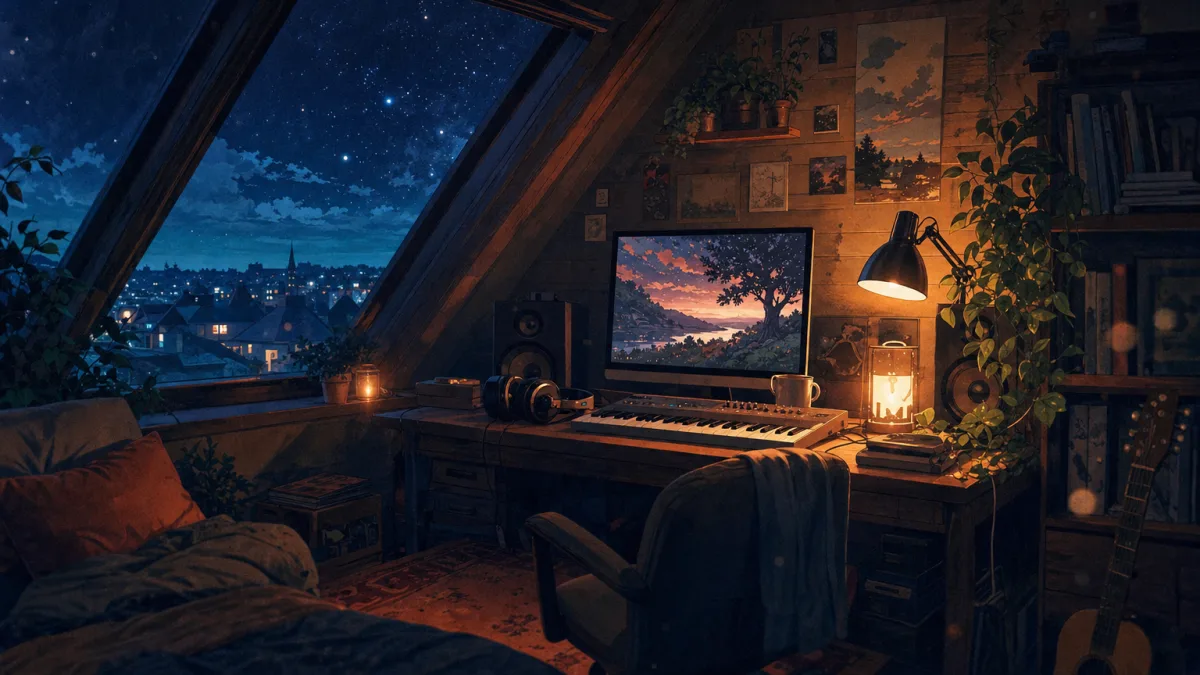
If you want to learn how to start a lofi YouTube channel, you must first look past the idealized fantasy of immediate passive income. The space of bedroom beats and cozy anime aesthetics is highly competitive, but it remains one of the most reliable ways to build a dedicated audience, and lofi is the classic entry point into running a faceless YouTube channel. Success in 2026 requires a clear understanding of platform rules, high-quality audio, and a consistent publishing schedule. This guide walks the whole road: choosing a sub-niche, making the music and visuals (manually, with AI tools, or fully hands-off), setting up a 24/7 stream, and monetizing without tripping YouTube's policy wires.
Is Starting a Lofi YouTube Channel Still Worth It in 2026? (Read This First)
Let's look at the benchmarks. The iconic Lofi Girl channel is the absolute outlier of this niche, boasting 15.8 million subscribers and roughly 2.6 billion total views. It launched in 2017 as ChilledCow and rebranded to Lofi Girl in October 2021, and the brand has since built a broader cultural presence, awarding 10 scholarships since 2023 to women producers in music tech. That is nine years of compounding. Trying to replicate it by copying the exact model is a recipe for failure.
Three major forces shape the market today. First, YouTube updated its Repetitious Content monetization policy on July 15, 2025, targeting mass-produced, low-effort uploads. Second, the massive influx of generic, automated uploads has made search discovery harder. Third, average revenue per mille (RPM) for standard music categories has shifted, forcing creators to think beyond simple AdSense.
If you are an artist, a dedicated curator, or an entrepreneur willing to invest in high-quality systems, this niche is highly viable. If you want a zero-effort scheme, you should look elsewhere. You will need a realistic starter budget of $0 to $300 and a commitment of 5 to 10 hours per week for the first 3 months to build your initial catalog.
Pick a Lofi Sub-Niche Before You Make a Single Beat
Do not try to target everyone. You need to narrow your focus to one of six viable sub-niches: study beats, sleep and rain radio, jazzhop mixes, anime-themed visuals, gaming and work radio, or ambient nature loops. The creator-reported RPM ranges below apply to music and study niches broadly; background-heavy formats like sleep loops trade lower RPM for far more watch-hours.
| Sub-Niche | Target Audience | Typical RPM (creator-reported) | Watch-Hour Potential | Core Vibe |
|---|---|---|---|---|
| Study Beats | High school and college students | $1-$4 RPM | High | Focus, productivity, calm |
| Sleep Loops | People with insomnia, night workers | ~$0.40 RPM for 24/7 streams | Extreme | Deep relaxation, rain, heavy bass |
| Jazzhop Mixes | Coffee shop workers, vintage lovers | $1-$4 RPM | Medium-High | Urban night, cafe, brass hooks |
| Gamer Radio | Twitch streamers, PC gamers | $1-$4 RPM | High | Retro, pixel art, synthwave crossover |
To position your channel, complete this simple exercise: name one specific problem you solve (such as late-night exam cramming) and one aesthetic vibe you own (such as 1990s retro Tokyo streets). Study the channels already winning your candidate sub-niche first; our roundup of the best lofi study music channels shows what the established players do with track selection, visuals, and upload cadence.
Set Up Your Channel for Discovery (Branding, SEO, Art)
Your channel name must avoid generic terms like Lofi Beats 24/7. Check search availability and ensure the corresponding handle is free.
For your visual branding, use free or affordable tools like Canva, Leonardo, or Midjourney to create an aesthetic profile avatar and a banner matching your sub-niche. Your channel banner needs to clearly display your upload schedule so viewers know when to return.
Develop a keyword pack for your metadata. Your primary search phrase might be "lofi study beats", with secondary terms like "lofi hip hop radio". Always include chapter timestamps in your video descriptions and add links to your curated playlists. Configure your upload defaults to include your social links, and organize your channel homepage with custom sections for popular uploads and themed playlists. Ensure your About page contains a professional contact email and a clear statement of your upload schedule.
Make Your First Beat: The Traditional DAW Workflow
If you choose to produce music manually, your first step is selecting a digital audio workstation (DAW). FL Studio is the industry standard for hip hop and lofi production, but Ableton is excellent for live performance. If you are on a budget, look at GarageBand for Mac or BandLab for a browser-based option.
Source your sounds safely to avoid copyright claims. Use the YouTube Audio Library, Epidemic Sound, Artlist, or Splice.
The classic lofi signal chain follows a reliable formula: start with a jazz chord progression, add swung boom-bap drums, overlay a vinyl crackle texture, apply tape saturation, insert a warm sub-bass line, and use sidechain compression to link the kick drum to your melodic elements. For a step-by-step walkthrough of the full production process, read our beginner guide on how to make lofi music.
Export your finished master as a 24-bit WAV file, and prepare an MP3 or AAC version for your video editor. Target a loudness level of -14 LUFS. Aim for 1 to 3 hour mixes for standard sessions, or prepare 8 to 24 hours of unique tracks if you plan to run continuous streams.
The AI-Beat Workflow (Fastest, but Read the Copyright Risks)
For faster production, creators use AI music generators like Suno (v3.5 or v4) or Udio. However, you must pay close attention to licensing. Suno and Udio require their paid commercial tiers to allow monetization on YouTube.
To protect your channel from automatic Content ID flags, do not upload raw, unedited AI tracks. Layer the AI output with your own recorded drums, ambient field recordings, or custom percussion textures.
Use stem editing to break the generated audio into separate tracks, rearrange the song structure in your DAW, and apply human finishing touches. Fully automated, unedited AI channels face the highest risk of demonetization under the July 15, 2025 Repetitious Content update.
Create the Visuals: Static Loop vs. Animated Loop vs. AI Video
Your visual style is just as important as the audio. The cheapest path is using a single high-quality static image or animated GIF, combined with a slow Ken Burns zoom effect in your video editor.
For a mid-tier option, use Adobe After Effects to add particle rain, dust overlays, or subtle swaying motions to your main character. If you prefer generative tools, create a high-quality still in Midjourney, animate it using Runway, Kling, or Pika to create a 5 to 10 second loop, and stitch the clips together in DaVinci Resolve.
Source safe visuals from Pexels, Pixabay, or your own original AI generations. Avoid ripping copyrighted anime footage or using stock clips with visible watermarks, as these will lead to immediate copyright strikes.
The All-in-One Alternative: A Lofi Channel That Runs Itself
Everything above is the manual stack: a DAW or an AI music tool for the beats, a licensing spreadsheet, an image generator and After Effects for the visuals, a video editor to assemble it all, and an upload checklist you run by hand, every week, indefinitely. Most new lofi channels do not die from a bad niche choice. They die because the operator burns out stitching five tools together for every single upload.
Chillframe replaces that entire chain with one system. It gives you a faceless channel that runs itself, with hands-off publishing, watch-time that compounds, and performance you can see, and it pairs naturally with the strategy work in our faceless YouTube automation guide.
Chillframe turns a simple theme into a finished, ready-to-publish lofi video. It writes original, studio-quality music made for your channel, and when a video has multiple tracks, they blend into one gapless, continuous soundtrack.
Alongside the audio, Chillframe generates matching, looping visuals tuned to your chosen theme. The Lite tier provides a static image loop, while the Plus and Ultra tiers add motion visuals. The platform delivers a completed video that loops cleanly to your chosen runtime, saving you from dealing with complex video editors or long rendering times. You can generate videos up to 1 hour on every tier, so runtime is never the thing you have to upgrade for. All videos are delivered in 1080p resolution, with 4K (3840x2160) available on the Ultra visual tier.
You can customize your output using seven distinct themes: study-boombap, rainy-tokyo, jazzhop, ambient-sleep, synthwave, future-garage, and citypop. Several themes also carry a matched ambient texture: rain in rainy-tokyo and future-garage, a cafe hum in jazzhop, or a soft fire in ambient-sleep.
To keep your channel consistent, you can use a Series. A Series automatically generates fresh videos on a weekly cadence of 1 to 7 videos, on your chosen days and times. You can connect your YouTube channel in a single click to schedule titles, descriptions, and visibility. The system publishes finished episodes straight to your connected channel on your set schedule, fully hands-off. It even generates an optimized thumbnail and title for each episode, ensuring your uploads are ready to attract clicks. You can monitor your results through creator analytics that show how each video and the channel are performing, tracking the watch-time and growth signals that matter.
Chillframe operates on a credit and subscription model. The monthly credits scale by tier: Starter provides 76 credits, Creator provides 196, Pro provides 396, and Max provides 796, and they reset each billing cycle. Credits are spent based on video duration, track count, and visual tier. How many Series you can keep running scales the same way: 1 on Starter, 3 on Creator, unlimited on Pro and Max. To test the workflow, start with the 3-day trial: it is card-required with $0 due today, and its 45 credits produce one real, finished Lite video of up to 30 minutes, plus 2 track re-rolls, so you judge the actual output your channel would publish rather than a watermarked sample.
The 24/7 Live Radio Setup (The Lofi Girl Blueprint)
Continuous live streams are highly effective because they accumulate watch-hours rapidly. When a listener leaves your stream playing in the background during a study session, they can easily generate 6 to 12 hours of watch-time.
You can run a stream using Path A, which involves setting up OBS Studio on a home computer. This is inexpensive but highly vulnerable to home internet drops or power outages. Path B is the professional choice: use FFmpeg on a Linux Virtual Private Server (VPS). This setup keeps your stream online 24/7 without relying on your home hardware.
Configure your YouTube Live settings to 1080p, use a low-motion video loop to save server bandwidth, add a chat overlay, and set the stream to auto-delete the video-on-demand (VOD) archive after ending to avoid repetitious content flags. Running a stream on a home PC costs $0 per month plus electricity, while a reliable Linux VPS ranges from $5 to $20 per month.
Monetization: Hit YouTube Partner Program the Right Way
To earn ad revenue, you must meet the YouTube Partner Program (YPP) requirements. The full monetization tier requires 1,000 subscribers and 4,000 watch hours. You can also apply for the Earlier Access tier at 500 subscribers, 3 uploads in the last 90 days, and 3,000 watch hours or 3 million Shorts views.
Lofi channels face specific monetization risks. If your videos use identical, unedited visual loops or generic, non-exclusive music, YouTube may flag your channel for repetitious or reused content. The same enforcement logic applies across every faceless format; our guide to building a profitable faceless YouTube channel covers how to structure any automated channel so it holds up to review.
Diversify your revenue beyond AdSense. Distribute your original music to Spotify and Apple Music using services like DistroKid or TuneCore. You can also sell custom sample packs, offer synth preset libraries, or launch a Patreon page for your most dedicated listeners.
Copyright & Policy Checklist Before You Publish
You must understand the difference between a Content ID claim and a copyright strike. A claim generally means the copyright owner takes or shares your ad revenue on that video, while a strike threatens the existence of your channel.
Remember that a free or licensed track does not mean a claim-free track. Many creators who pull from free music libraries still face automatic claims because other users have registered those same tracks with Content ID systems.
Always perform a pre-launch test. Upload your video as unlisted, wait for YouTube to run its automatic copyright check, and resolve any issues before publishing the video to the public. If you receive an incorrect claim, use YouTube's dispute workflow to release the claim, replace the claimed audio, or agree to share revenue. Keep a dedicated spreadsheet of all your music licenses, including purchase dates and usage terms.
Growth Playbook: 0 to 1,000 Subscribers
To build your initial audience, aim for a consistent upload cadence of 2 to 4 long-form videos per week, supported by 1 to 2 YouTube Shorts to capture mobile viewers.
Use clear, descriptive titles and high-contrast thumbnails. Avoid aggressive clickbait, and focus on terms like "lofi study beats to concentrate" or "rainy night lofi hip hop".
Build a community flywheel. Engage with listeners on Discord, participate in communities like Reddit r/LofiHipHop, submit your tracks to popular playlist curators, and collaborate with other creators on joint livestreams.
Monitor your YouTube Studio analytics closely. Focus on average view duration (AVD), returning viewers, and click-through rate (CTR). If your growth stalls, consider pivoting slightly to adjacent niches like focus music, sleep sounds, or productivity soundscapes.
Realistic Earnings, Timeline & Risks (2026 Data)
Your financial journey over the first 24 months will likely follow one of three paths:
- The Steady Grind (Average Case): You publish consistently, and the watch-hours accumulate until you clear the YPP threshold rather than arriving on a fixed date. At the creator-reported $1-$4 RPM for long-form music videos, a channel averaging 100,000 monthly views earns $100 to $400 per month from ads.
- The Viral Stream (Best Case): Your 24/7 live stream gets recommended by the algorithm. Live streams monetize at a lower rate of ~$0.40 RPM, so the money comes from sheer volume: at that rate, every 1 million background views returns roughly $400, and a featured stream can run to multiples of that.
- The Policy Trap (Worst Case): You upload unedited AI tracks or repetitive static loops, leading to demonetization or Content ID revenue redirection.
Be aware of inactivity risks. If your channel remains inactive for 6 months, YouTube may review your monetization status or disable your partner benefits. If you find the lofi niche too crowded, prepare to transition toward broader ambient, sleep, or productivity audio; our white noise channel playbook maps out the closest adjacent lane.
Frequently Asked Questions
How much money can you make from a lofi YouTube channel? Earnings vary based on your format and traffic sources. Standard long-form lofi videos typically earn between $1-$4 RPM, meaning you earn $1 to $4 for every 1,000 views. If you run a 24/7 live stream, your earnings will average around ~$0.40 RPM because viewers often keep the stream playing in the background without viewing ads directly. Successful channels supplement this income by distributing their music to Spotify or selling merchandise.
Can I monetize AI-generated lofi music on YouTube? Yes, but you must comply with YouTube's strict monetization policies. To avoid being flagged under the July 15, 2025 Repetitious Content update, you cannot upload raw, unedited AI tracks over static images. You must customize the audio by adding original layers, sound effects, or custom drums. Additionally, you must use the paid commercial tiers of tools like Suno or Udio to legally monetize the generated music.
Is a 24/7 lofi live stream better than standard video uploads? Live streams are highly effective for accumulating watch-hours quickly, which helps you meet monetization thresholds. However, they are more complex to run and monetize at a lower RPM. The best strategy is a hybrid approach: use standard uploads to build search traffic and high-value ad views, and run a 24/7 live stream to build community and drive continuous background play.
What is the best software for making lofi beats? FL Studio and Ableton Live are the professional standards for hip hop and lofi production. If you are looking for free alternatives, GarageBand is an excellent choice for macOS users, while BandLab provides a highly capable browser-based workstation. Our guide on how to make lofi music walks the full production process from first chord to final master.
Can I start a lofi YouTube channel without making the music myself? Yes. Chillframe gives you a faceless channel that runs itself. You pick a theme, and finished episodes publish to your connected YouTube channel on the cadence you set, so your watch-time compounds without you producing a single track. The music and matching visuals are original and studio-quality. The 3-day trial is card-required with $0 due today and produces one real Lite video of up to 30 minutes, so you can judge the output before subscribing.