How-to
How to Build an Aesthetic YouTube Channel That Runs on Autopilot
A complete setup playbook to launch a stunning, cohesive faceless channel without spending hours in design and editing software.
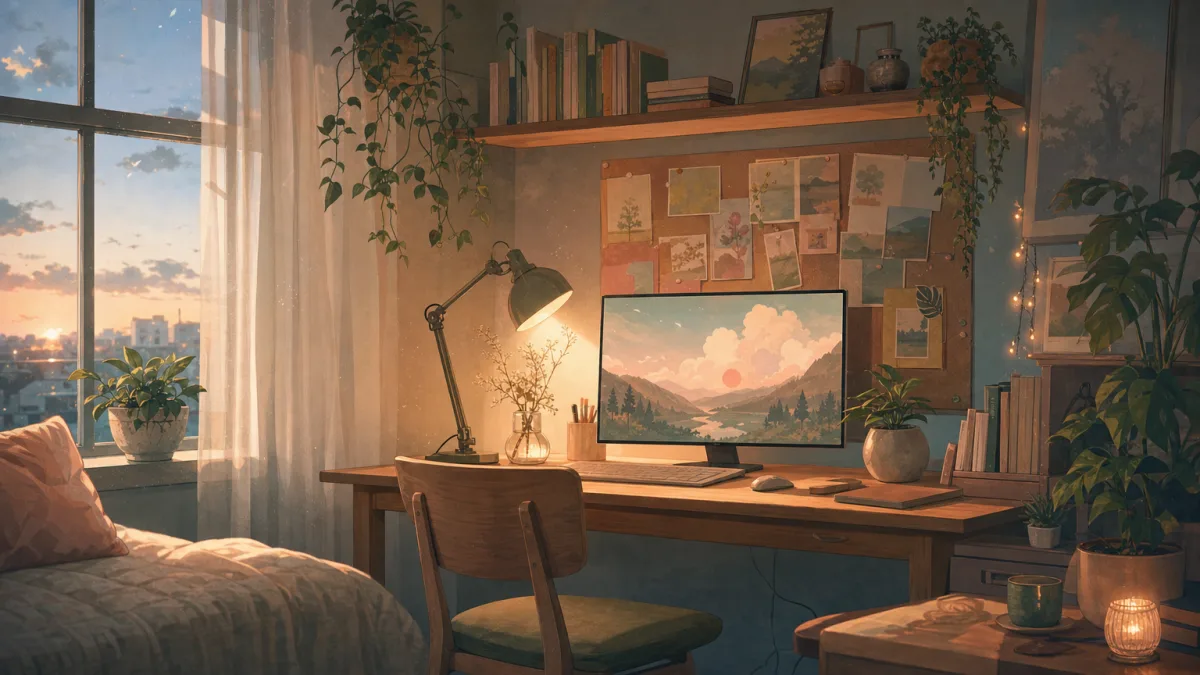
An aesthetic youtube channel is one of the best ways to build a loyal audience that sticks around. It gives viewers a look and a sound they recognise the moment a video starts.
It's a big, growing space. The #aesthetic hashtag on YouTube covers roughly 12 million videos across 2.5 million channels. Many of the best-known examples are faceless YouTube channels that win on visuals and sound alone, with no camera. What makes one stand out is a single, consistent style that runs from your banner through every looping video.
What makes a YouTube channel "aesthetic"
An aesthetic channel is one where the visuals and the audio fit together. It isn't one pretty video. It's:
- one colour palette
- one font for your thumbnails
- one recognisable mood, from the profile picture through every upload
When viewers land on your homepage, they should get the vibe straight away. A lofi study channel might use a muted pastel palette, while a synthwave channel leans on neon purples and deep blacks.
That consistency builds trust. It gives viewers a reason to subscribe, because they know exactly what atmosphere each video will bring.
Popular aesthetic YouTube channel styles people search for
People search for specific visual subcultures that give them comfort, focus or nostalgia. These are the styles bringing in the most views:
- Lofi study and chill beats: looping 2D animations of bedrooms, rain-slicked streets or cozy cafes, with continuous instrumental music. This is the most natural style to automate, because the visual loops cleanly while the music holds focus in the background.
- Cozy vlogs and ambient rooms: clean, minimal white-background setups or softly decorated desks with a warm, homely feel.
- Curated mood and aesthetic shorts: short aesthetic compilations, day-in-the-life clips and mood channels built to catch attention quickly.
How to set up an aesthetic YouTube channel (step by step)
Plan your channel before you publish the first video. These four steps give you the foundation.
1. Pick a niche aesthetic
Choose one visual theme. Popular options:
- dark academia
- cottagecore
- minimal
- Y2K
- retro-lofi
Mixing too many styles waters down your brand.
2. Design a matching banner
Your banner is the billboard on your homepage.
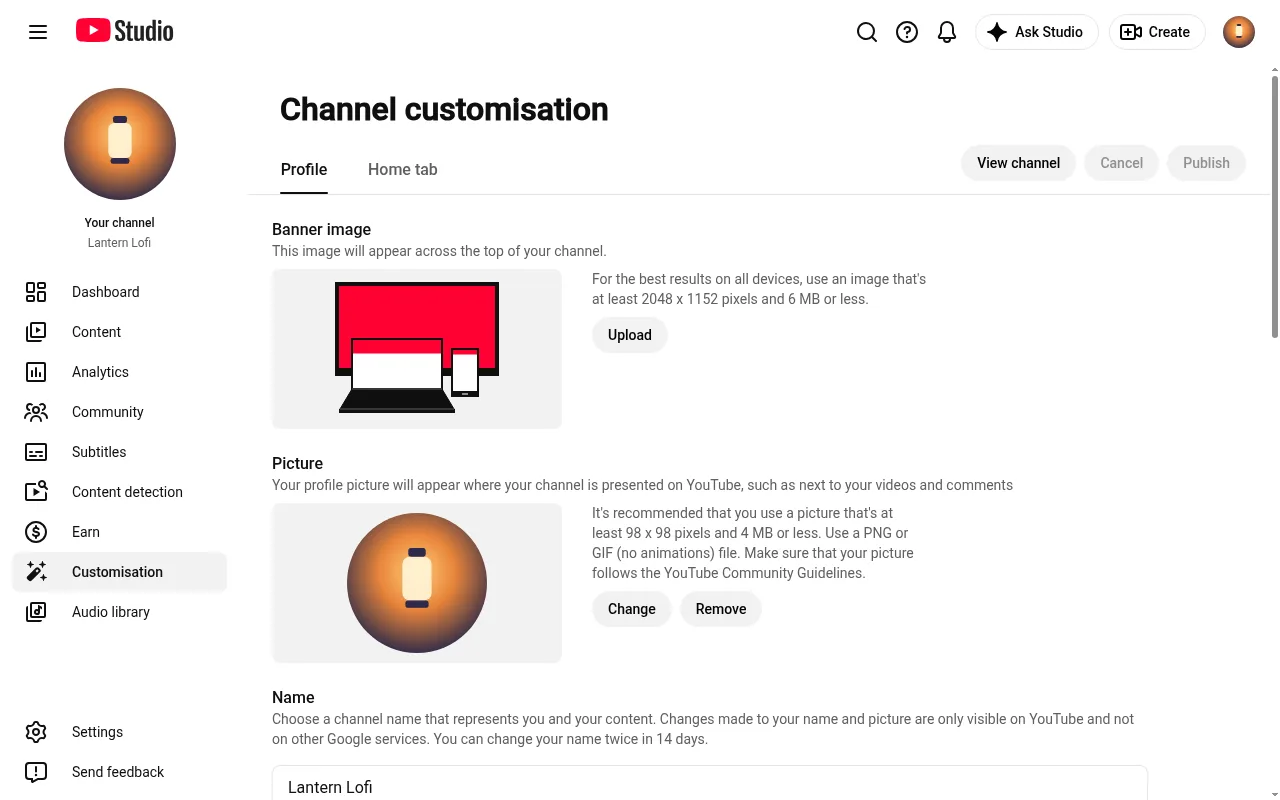
- Use YouTube's recommended banner dimensions.
- Keep the important parts inside the safe zone, so your central text reads properly on mobile, desktop and TV. Touhfa's 2026 banner-size guide walks through it.
- Match the palette to the mood you picked in step one.
3. Build a consistent thumbnail template
Use one font, a recurring border or a fixed colour filter on every thumbnail. When they all match, your channel page looks organised and professional, and that encourages people to watch one video after another. To check your template still reads at the small sizes viewers see, in both the light and dark themes, test it in our YouTube thumbnail preview.
4. Choose a channel name that signals the aesthetic
Your name should say the vibe on sight. Pick something specific to your niche rather than a generic term. Our faceless YouTube channel ideas have angles and naming ideas that already carry an aesthetic.
Real aesthetic channels to model (and what their numbers look like)
Real channels that have carved out a visual niche show how much consistency drives growth.
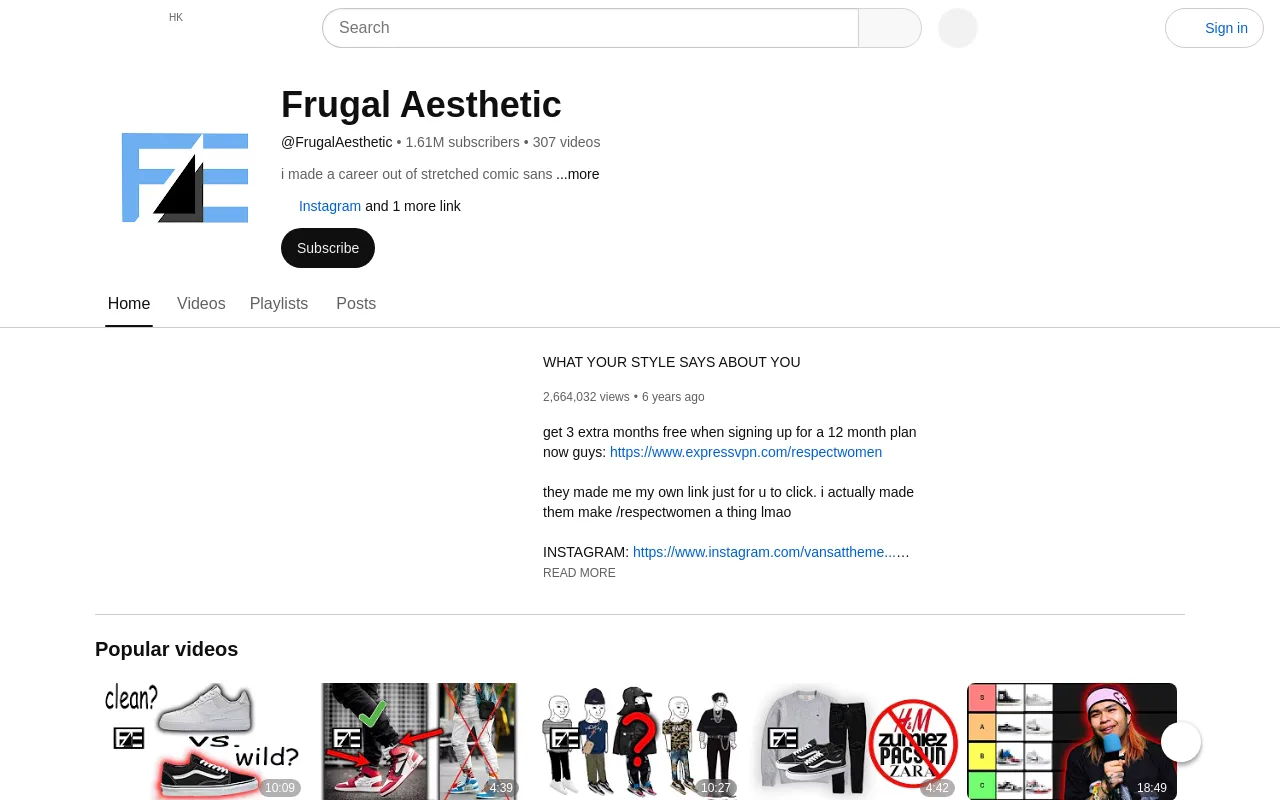
1. Frugal Aesthetic (@frugalaesthetic)
According to SPEAKRJ analytics, Frugal Aesthetic has reached roughly 1.6 million subscribers and 196 million views. That makes it one of the larger aesthetic-niche channels tracked.
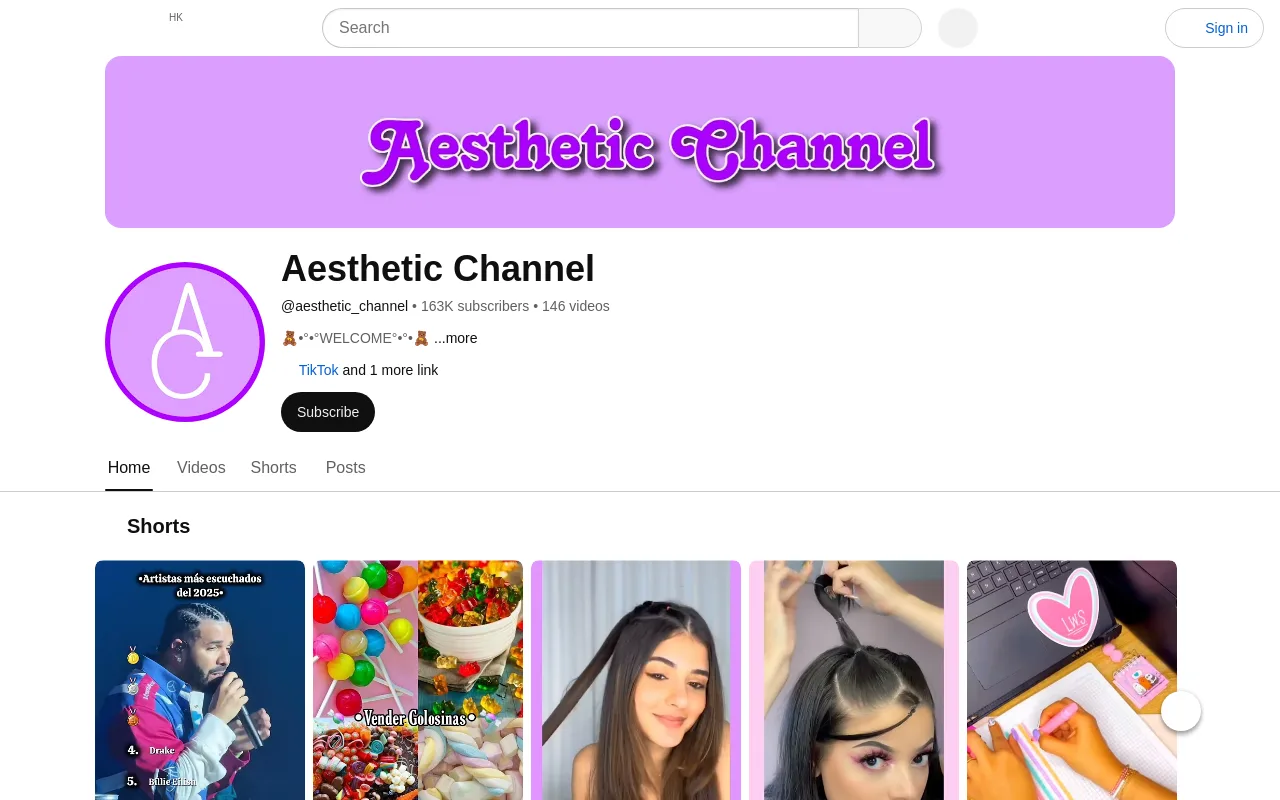
2. Aesthetic Channel (@aesthetic_channel)
Social Blade data shows @aesthetic_channel with 163K subscribers and 48 million views across 146 videos, ranking around #2,166 by subscribers.
3. Aesthetic (@aesthetic)
According to Social Blade, the bare handle @aesthetic has only 49 subscribers and 15K views across 8 videos. An aesthetic name on its own isn't enough without a consistent niche.
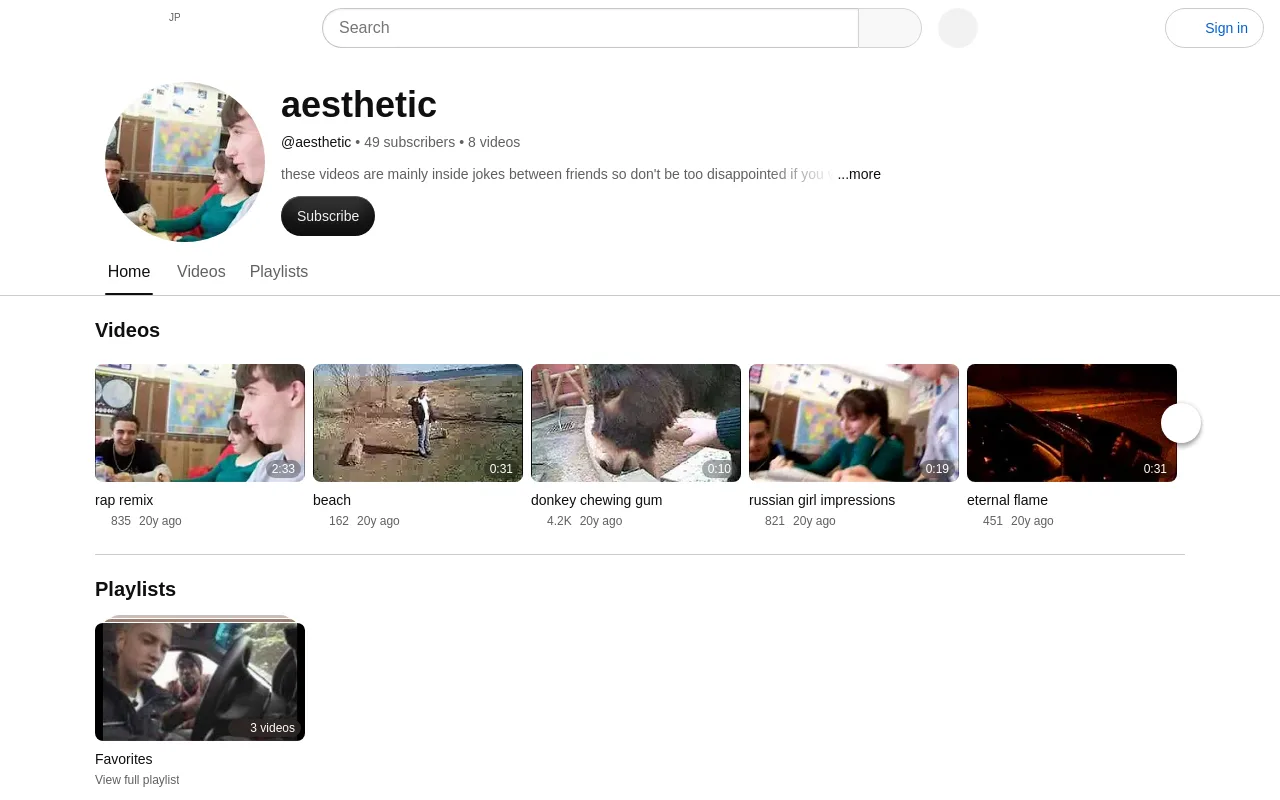
| Channel Handle | Subscriber Count | Lifetime Views | Primary Source |
|---|---|---|---|
| @frugalaesthetic | 1.6 Million | 196 Million | SPEAKRJ |
| @aesthetic_channel | 163,000 | 48 Million | Social Blade |
| @aesthetic | 49 | 15,000 | Social Blade |
Verdict
Put together, these three show that a great handle or a generic name means little without consistency. What makes an aesthetic channel succeed is publishing consistent, good-quality videos on a regular schedule, so the library keeps adding up.
Automating an aesthetic channel with AI (Chillframe's approach)
Building a channel by hand usually means hours in graphic editors like Canva or browser video tools like Clipchamp. You source the audio, edit the video loops and upload each file to YouTube yourself. Chillframe replaces all of that with a channel that runs itself.

A Series keeps the videos coming
Instead of editing timelines, you set up a Series. It automatically makes fresh, themed videos on a schedule of 1 to 7 a week, and the watch-time builds as the library grows. Each episode is a finished video with original, studio-quality lofi music and matching visuals.
Looks to build your channel around
- Presets: a catalogue of 14 preset style groups and 61 styles, from Lofi Anime and Jazz Coffeeshop to Dark Academia and Synthwave, with scenes like Rainy Tokyo and Campfire Night.
- Your own scene: if none of them fits, describe your own scene in plain words when you set up a Series.
- Ambient texture: some presets write a matching texture, such as soft rain, into the music itself.
What you get on each plan
The Lite tier gives you a still scene, and the Plus tier adds motion. Still scenes are made in 4K. Motion clips come in Standard or Premium quality, and on Creator and up they can be upscaled to 1440p or 4K.
Every plan makes videos up to 1 hour, and Creator, Pro and Max can make motion videos. One monthly pool of usage pays for the visuals, motion, music and finishing. What changes as you move up:
| Plan | Monthly usage | Series at once |
|---|---|---|
| Starter | The base amount | 1 |
| Creator | 5x Starter's | 3 |
| Pro | 11x Starter's | Unlimited |
| Max | 25x Starter's | Unlimited |
Publishing
Chillframe connects straight to your YouTube channel. Approve the first video in your Series and from then on it's fully hands-off. It writes an optimised title and description for each episode, takes the thumbnail from the video, and publishes it straight to your channel on the schedule you set. You build a deep, consistent library without touching an editing timeline or an upload screen.
Chillframe starts from $19 a month. Creator analytics inside Chillframe show your watch-time and growth as you go.
To go deeper, read our guide to faceless YouTube channel ideas, learn how to make lofi music, or follow the full walkthrough on how to start a lofi YouTube channel.
Common mistakes when building an aesthetic YouTube channel
Steer clear of these so your channel grows steadily:
- Inconsistent thumbnail style: different fonts, clashing colours or random stock images make your homepage look messy. Stick to one visual identity.
- Choosing a saturated name: with a generic name, viewers can't search for your brand. Use a specific niche signal instead.
- Over-investing in the banner only: a beautiful banner can't save a channel with weak, mismatched uploads. The videos themselves have to carry the aesthetic.
- Neglecting upload cadence: copying the scale of big creators without matching their consistency leads nowhere. Let automation keep your schedule running so you don't burn out.
For a broader walkthrough of getting a consistent channel off the ground, read our guide on how to start a lofi YouTube channel.
Frequently Asked Questions
What is the best theme for an aesthetic YouTube channel? The best theme depends on your target audience. Lofi study beats, cozy rain environments, and retro synthwave are consistently popular because they double as background music for studying or relaxing.
How often should I upload to an aesthetic channel? Consistency matters more than raw frequency. Pick a fixed schedule you can actually sustain, so YouTube learns to categorize your content and your subscribers build a routine around it. A Series holds that cadence for you, generating on the days and times you set.
Do I need to show my face to grow an aesthetic channel? No. Many of the most successful aesthetic channels are completely faceless, relying on high-quality looping visuals, beautiful scenery, and atmospheric instrumental music to keep viewers watching. See our roundup of top faceless YouTube channels for how far a cohesive, faceless aesthetic can go.
Can I use AI to generate music and visuals for my channel? Yes. Automation platforms like Chillframe generate original, studio-quality music and matching motion visuals, so you can run a polished aesthetic channel hands-off.
A recognisable brand on YouTube comes down to a consistent look and sound. Define your niche, design a consistent layout, and let Chillframe make and schedule your uploads, and you have a channel whose watch-time keeps growing while you get on with other things.